SaaS Development Lifecycle
Built for the modern small team that operates like an entire company through AI.
Some of today's fastest-growing SaaS products are being built by just two people — not because they work harder than everyone else, but because they've learned how to turn AI into a full-stack workforce. Design, development, marketing, quality assurance, customer support, analytics, research, and copywriting — all handled through intelligent AI-driven systems and workflows. This documentation breaks down exactly how that happens.
0 The AI-Native Founder Operating System
The Paradigm Shift
Traditional SaaS required: 1 founder + 1 designer + 2 engineers + 1 marketer + 1 support person = minimum viable team. That math is dead.
The new math: 1–2 founders + the right AI workflows = a company that moves at 10x the speed of that 6-person team, with lower overhead, faster iteration, and compressing what used to be months of work into days.
This isn't about using ChatGPT to write emails. It's about building an AI operating system for your company — where AI handles defined roles with defined outputs, and you are the executive making decisions, not the worker executing tasks.
The AI Role Map
Before you build, know which roles AI is filling for you. Then build workflows for each one.
| Human Role | What AI Does | Primary Tool |
|---|---|---|
Prompt Engineering Fundamentals
Using AI at a professional level is not about asking better questions. It's about building prompt infrastructure — reusable, versioned, structured prompts that produce consistent, high-quality output every time.
The ROLE-CONTEXT-TASK-FORMAT (RCTF) Framework
Every high-performance prompt has four components:
-
1
ROLE: Tell the model who it is. Not just "you are an expert" — be specific.
-
2
CONTEXT: Provide the situational information the model needs.
-
3
TASK: The specific thing you need done. Be precise.
-
4
FORMAT: Define the output structure explicitly.
❌ Weak Prompt
"Write a landing page for my email tool."
✅ Professional Prompt
ROLE: You are a direct-response copywriter...
CONTEXT: My product is called MailSift...
TASK: Write the hero section...
FORMAT: Return as a JSON object...
The Daily AI Workflow
Morning (30 minutes — Daily Intelligence Report)
- Pull last 24h of Sentry errors, PostHog events, and support tickets.
- Feed into Claude with the daily briefing prompt.
Development Sessions — AI Pair Programming Rhythm
- Open Cursor or Windsurf. Keep Claude in a separate tab for architecture questions.
- Every feature starts with an AI-generated spec before touching code.
- Every PR gets an AI code review before merging.
- Every bug gets an AI debugging session before manual investigation.
End of Day (15 minutes — Decision Log + Async Communication)
- Use Claude to draft your weekly update email to users (if it's Friday).
- Log decisions made today with context.
- Queue content ideas for marketing.
Daily Workflow Visualization
30 min] --> B[Pull Sentry Errors] A --> C[Pull PostHog Events] A --> D[Pull Support Tickets] B --> E[Claude Daily Briefing] C --> E D --> E E --> F[Development Sessions
AI Pair Programming] F --> G[Cursor/Windsurf Coding] F --> H[Claude Architecture Q&A] F --> I[AI-Generated Specs] F --> J[AI Code Reviews] F --> K[AI Debugging] G --> L[End of Day
15 min] H --> L I --> L J --> L K --> L L --> M[Draft Weekly Update] L --> N[Log Decisions] L --> O[Queue Content Ideas] M --> P[Next Day] N --> P O --> P style A fill:#e0e7ff style F fill:#f3e8ff style L fill:#dcfce7 style P fill:#fef3c7
1 Problem Discovery Phase
What This Phase Actually Is
Problem discovery is forensic investigation. You're looking for real pain — not inconvenience, not "it would be nice if," but the kind of problem someone is already paying to solve badly. The best SaaS ideas don't come from invention. They come from noticing that people are using spreadsheets, Zapier hacks, and manual workflows to solve something that deserves a real product.
Most founders skip this phase or do it superficially. The cost: building something nobody wanted. The benefit of doing it right: you know your market before writing a line of code, you know your copy before you have a product, and you know your competition better than they know themselves.
The Four Sources of Real Problems
1. Your Own Friction
The most defensible position: you personally experience the problem. You understand its depth, edge cases, and emotional cost. Build a tool you would pay for.
2. Community Surface Area
Reddit, Twitter/X, Hacker News, niche Discord servers, and Facebook Groups are live complaint feeds. Search for patterns like "Is there a tool that..." and "I hate how..."
3. Job-to-Be-Done Gaps
Look at 1-star and 2-star reviews on G2, Capterra, and Trustpilot for established tools. Find feature gaps, use-case mismatches, and pricing complaints that recur.
4. Adjacent Market Observation
Notice what people do outside the tool to compensate for what it can't do. The spreadsheet someone built to track what the SaaS should track is your product spec.
Problem Sizing — TAM → SAM → SOM Calculator
Before touching Figma or a repo, validate that the problem is in a market large enough to build a business on.
All people who theoretically have this problem globally
The subset you can realistically reach
What you can capture in 12–18 months
SOM (Serviceable Obtainable Market)
Your realistic opportunity in 12-18 months
AI Workflow: Problem Discovery
Step 1 — Reddit & Forum Signal Extraction
Collect 20–30 forum posts or threads from communities where your target audience exists. Then use this prompt:
I'm researching a potential SaaS product idea in the [category] space.
Below are [N] Reddit/forum posts I've collected from [subreddit/community].

[PASTE ALL POSTS]

You are a product researcher conducting a systematic qualitative analysis.
Extract and structure the following:

1. RECURRING PROBLEMS: Problems mentioned 3+ times across posts
2. CURRENT WORKAROUNDS: What people are doing now to cope
3. TOOLS MENTIONED NEGATIVELY: Any existing tools criticized
4. LANGUAGE PATTERNS: Exact phrases, words, and metaphors
5. UNMET DESIRE STATEMENTS: Direct quotes wanting something that doesn't exist
6. INTENSITY SIGNALS: Which problems seem most emotionally charged

Return this as a structured report with direct quotes.
Step 2 — Competitor Review Synthesis
Copy the text of 30–50 G2/Capterra reviews for your main competitor.
You are a product strategist analyzing competitor reviews to find market gaps.
Below are [N] reviews of [Competitor Name].

[PASTE REVIEWS]

Produce a structured analysis:
1. TOP COMPLAINTS (ranked by frequency)
2. PRAISED FEATURES: What do they actually love?
3. USE CASE MISMATCHES: Segments the product wasn't designed for
4. PRICING SENSITIVITY: Any complaints about cost
5. MIGRATION SIGNALS: Reviews from people who switched
6. THE OPPORTUNITY STATEMENT: One-paragraph description of the product gap
Problem Discovery Process Flow
TAM → SAM → SOM] G --> J H --> J I --> J J --> K[Reddit Signal Extraction] J --> L[Competitor Review Synthesis] K --> M[Structured Analysis
Recurring Problems
Workarounds
Language Patterns] L --> M M --> N[Validated Problem
Ready for Solution Phase] style A fill:#e0e7ff style J fill:#f3e8ff style M fill:#dcfce7 style N fill:#fef3c7
2 Solution Validation Phase
The Core Question
Validation exists to answer one question with evidence, not assumption: Will people pay for this? Not "do they think it's a good idea." Not "do they like the concept." Will they pay — with real money, now.
The Validation Ladder
Run these in sequence. Move to the next level only when the current level returns a positive signal.
Smoke Test (Zero Code, 1 Day)
Build a landing page with a specific CTA — email waitlist, "Request Early Access," or Stripe payment link. Drive traffic via Reddit, Twitter, or HN. If you cannot get 200 sign-ups organically within 2 weeks, something is wrong.
Tools: Framer, Carrd, Webflow + Typeform/ConvertKit
Mom Test Interviews (5–10 People)
Talk about their life and past behavior, not your idea. Ask how they currently deal with the problem, not if they would use your solution. Listen for money and time already being spent.
Use Rob Fitzpatrick's Mom Test framework
Prototype Validation
Build a clickable prototype in Figma or Framer — not code. Put it in front of 5 ICP people. Watch them use it without guiding them. Where they pause, click the wrong thing, or ask a question is your UX problem.
Pre-Sell (True Validation)
Offer founding member access at a discounted price before writing production code. Stripe Payment Links makes this a 10-minute setup. Money exchanged before product exists = real product-market signal.
Validation Funnel Visualization
200 sign-ups] --> B{Pass?} B -->|Yes| C[Mom Test Interviews
5-10 people] B -->|No| A1[Refine Idea
Restart] C --> D{Pass?} D -->|Yes| E[Prototype Validation
5 ICP users] D -->|No| C1[Adjust Positioning
Retry Interviews] E --> F{Pass?} F -->|Yes| G[Pre-Sell
Founding Members] F -->|No| E1[Improve UX
Redesign Prototype] G --> H{Pass?} H -->|Yes| I[✅ Validated
Build MVP] H -->|No| G1[Adjust Pricing
Refine Offer] style A fill:#dcfce7 style C fill:#dbeafe style E fill:#f3e8ff style G fill:#fef3c7 style I fill:#bbf7d0 style A1 fill:#fecaca style C1 fill:#fecaca style E1 fill:#fecaca style G1 fill:#fecaca
The Positioning Hypothesis
Write this sentence before building anything:
"[Product] helps [ICP] who struggle with [specific problem] to [desired outcome] — unlike [main alternative] which [key gap]."
Example: "Logify helps solo developers who struggle with setting up observability in side projects to get Datadog-level logging in 10 minutes — unlike Datadog which is priced for enterprises and takes days to configure."
3 Product Strategy & Planning Phase
The Core Value Loop
Every SaaS product has one action that delivers the primary value. Everything else supports or leads to that action. Find it and protect it from feature creep.
Example — an email analytics tool:
Everything else (integrations, team features, dashboards, API) is scaffolding that comes after the loop works
Feature Prioritization — RICE Calculator
Stop using gut feel. Use RICE: (Reach × Impact × Confidence) / Effort
RICE Score
MVP Scope with MoSCoW
Must Have
Without this, the product doesn't function. (Core loop features only.)
Should Have
Important but not launch-blocking.
Could Have
Nice to have, documented and parked.
Won't Have
Explicitly excluded. Write it down. Prevents scope creep.
Feature Prioritization Matrix (Impact vs Effort)
High Impact / Low Effort
DO FIRST] B[Major Projects
High Impact / High Effort
PLAN] end subgraph Low_Impact[Low Impact] C[Fill-ins
Low Impact / Low Effort
DO LATER] D[Money Pit
Low Impact / High Effort
AVOID] end A -.-> B A -.-> C B -.-> D C -.-> D style A fill:#bbf7d0 style B fill:#fef3c7 style C fill:#e0e7ff style D fill:#fecaca style High_Impact fill:#f0fdf4 style Low_Impact fill:#f8fafc
4 UI/UX Design Phase
Design Principles That Matter for SaaS
Forget "beautiful UI." The metric for SaaS design is time-to-value — how quickly does a new user reach the moment where they say "this is exactly what I needed."
A user should reach the product's core value within 3 minutes of first sign-up. Everything in your design system should be evaluated against that constraint.
The Designerless UI Pipeline
This is the workflow that lets a solo developer ship production-quality UI without a dedicated designer:
Component System — Design Tokens
From day one, build on a design system. Establish these design tokens in your Tailwind config:
Colors
primary, primary-foreground, secondary, muted, muted-foreground, destructive, border, input, ring
Typography
text-sm (14px), text-base (16px), text-lg (18px), text-2xl (24px)
Spacing
4, 8, 12, 16, 24, 32, 48, 64px (4px base unit)
Border Radius
rounded-md (pick one value, use everywhere)
Onboarding Design — The Retention Multiplier
Users who reach their "aha moment" in session 1 are 3–4x more likely to return in Week 2.
1. Interactive Setup (best for complex tools)
Step-by-step wizard that configures the product. Progress bar visible. Each step delivers incremental value. Skip option always available.
2. Sample Data (best for analytics/content tools)
Pre-populate the product with realistic dummy data so users see the value before adding their own.
3. Empty + Guidance (best for simple tools)
Clean empty state with a clear primary action. One big button. One sentence of guidance. No distractions.
Time-to-Value Funnel
0:00] --> B[Welcome Email
0:30] B --> C[Onboarding Flow
1:00] C --> D[First Action
1:30] D --> E[Value Realized
2:00] E --> F[Aha Moment
2:30] F --> G[Retention
Week 2] A --> A1[Drop-off 20%] B --> B1[Drop-off 15%] C --> C1[Drop-off 25%] D --> D1[Drop-off 10%] E --> E1[Drop-off 5%] F --> F1[3-4x More Likely to Return] style A fill:#fecaca style B fill:#fef3c7 style C fill:#e0e7ff style D fill:#dbeafe style E fill:#dcfce7 style F fill:#bbf7d0 style G fill:#86efac style A1 fill:#fca5a5 style B1 fill:#fcd34d style C1 fill:#a78bfa style D1 fill:#60a5fa style E1 fill:#4ade80 style F1 fill:#22c55e
5 MVP Development Phase
The MVP Mindset
MVP does not mean "buggy product." It means minimum scope with full production quality. Everything you ship must work correctly. You are cutting features, not cutting quality.
The discipline of MVP development is saying no 40 times a day. Every "wouldn't it be nice if" idea goes into a parking lot, not the sprint.
What Never to Build From Scratch
At MVP, your job is to build the unique value — the thing that only your product does. Everything that exists as a commodity service gets delegated:
| Function | Use This Instead |
|---|---|
| Authentication | Clerk, Supabase Auth, or Auth.js |
| Payments & billing | Stripe (never build payment processing) |
| Email delivery | Resend, Postmark |
| File storage | Cloudflare R2 or Supabase Storage |
| Search | Typesense or Algolia |
| Background jobs | Trigger.dev or Inngest |
| Rate limiting | Upstash Ratelimit |
| Feature flags | PostHog feature flags or Statsig |
The AI-First Development Workflow
This is not "use Copilot for autocomplete." It's a complete workflow where AI handles the mechanics of implementation while you handle architecture, judgment, and product decisions.
The Feature-to-Code Pipeline:
- 1Write a feature spec with Claude (what it does, not how)
- 2Paste spec into Cursor — ask it to implement the feature
- 3Review the output: does it match the spec? does it handle edge cases?
- 4Ask Claude to review the code for security and performance issues
- 5Ask Claude to write tests for the implementation
- 6Ask Claude to write documentation for the feature
- 7Merge
A feature that used to take 2 days now takes 3–4 hours for a skilled developer using this workflow.
AI-First Development Pipeline Visualization
Claude] --> B[Cursor Implementation] B --> C{Review Output} C -->|Matches Spec| D[Claude Code Review] C -->|Issues| B D --> E{Security & Performance} E -->|Clean| F[Claude Write Tests] E -->|Issues| B F --> G[Claude Write Documentation] G --> H[Merge to Main] style A fill:#e0e7ff style B fill:#dbeafe style C fill:#fef3c7 style D fill:#dcfce7 style E fill:#dcfce7 style F fill:#bbf7d0 style G fill:#bbf7d0 style H fill:#86efac
6 Testing & QA Phase
The Testing Philosophy for a 2-Person Team
You don't have time for 100% test coverage. You do have time to ensure the critical paths never break. Prioritize test coverage in this order:
- 1Authentication and authorization — a breach kills the product
- 2Payment and billing flows — broken checkout kills revenue
- 3Core business logic — the algorithm that delivers your unique value
- 4Data mutation operations — create, update, delete on user data
The Testing Pyramid
E2E Tests
Critical user paths (5–10 tests)
Integration Tests
API contracts, DB operations, auth
Unit Tests
Business logic, validations, utilities
Test Coverage Strategy Visualization
Critical - Breach Kills Product] A --> C[Priority 2: Payment & Billing
Critical - Broken Checkout Kills Revenue] A --> D[Priority 3: Core Business Logic
High - Unique Value Algorithm] A --> E[Priority 4: Data Mutations
Medium - CRUD Operations] B --> F[E2E Tests
5-10 Critical Paths] C --> F D --> G[Integration Tests
API Contracts, DB, Auth] E --> G F --> H[Unit Tests
Business Logic, Validations] G --> H style A fill:#e0e7ff style B fill:#fecaca style C fill:#fecaca style D fill:#fef3c7 style E fill:#e0e7ff style F fill:#dcfce7 style G fill:#dcfce7 style H fill:#bbf7d0
Pre-Release Manual QA Checklist
Core Functionality
Performance
Security
Cross-Browser
Progress: / checks completed
7 Beta Launch Phase
What Beta Actually Is
Beta is not a public launch with a disclaimer. Beta is a controlled environment with a specific cohort of users whose feedback shapes the product before you open it. Beta users are collaborators. Treat them that way — communicate more than feels necessary, respond within hours, and implement their critical feedback visibly.
Beta Cohort Recruitment
Target 50–200 beta users. Under 50 gives you insufficient signal. Over 200 is unmanageable for genuine personal engagement.
Where to Find Them
- • Your waitlist from the smoke test
- • Relevant subreddits (genuine posts)
- • Niche Discord and Slack communities
- • Direct outreach to complainers
- • Twitter/X threads building in public
The Personal Welcome
Every beta user gets a personal email from you — not from "The Team." One email, your name in the signature, asking one specific question about their problem.
Feedback Triage Framework
Act Immediately
- • Multiple users independently reporting the same bug
- • Users unable to complete the core flow
- • Security or data integrity issues
Act Within the Week
- • UX confusion at a specific step confirmed by session recordings
- • Feature gaps affecting 30%+ of your user base
Park for Later
- • Feature requests from individual power users
- • Edge cases affecting <5% of users
- • Aesthetic preferences
Never Act On
- • Requests for features that don't align with your core positioning
- • Feedback from users who don't fit your ICP
Beta Launch Timeline
Week -2] --> B[Recruit 50-200 Beta Users] A --> C[Prepare Onboarding Flow] A --> D[Set Up Feedback Channels] B --> E[Launch Week
Week 0] C --> E D --> E E --> F[Personal Welcome Emails] E --> G[Onboarding Sessions] E --> H[Collect Initial Feedback] F --> I[Beta Period
Weeks 1-4] G --> I H --> I I --> J[Weekly Feedback Reviews] I --> K[Quick Iterations] I --> L[Feature Prioritization] J --> M[Post-Beta
Week 5] K --> M L --> M M --> N[Analyze Retention Data] M --> O[Implement Critical Fixes] M --> P[Prepare for Public Launch] style A fill:#e0e7ff style E fill:#dbeafe style I fill:#dcfce7 style M fill:#fef3c7 style P fill:#bbf7d0
8 Product-Market Fit Phase
What PMF Actually Is (and Isn't)
PMF is not a feeling. It is a measurable state where a specific market segment finds your product so valuable that retention is organic, word-of-mouth happens without effort, and you're struggling to keep up with demand rather than struggling to create it.
The Sean Ellis Test
Survey active users: "How would you feel if you could no longer use [Product]?"
- • Very disappointed
- • Somewhat disappointed
- • Not disappointed
40%+ "Very disappointed" = PMF in that segment. Below 40% = you're not there yet.
The Retention Curve Test
Plot the % of users still active at Day 1, 7, 14, 30, 60, 90. In a product with PMF, the curve flattens after initial drop — meaning a stable core of users finds the product indispensable.
The PMF Discovery Cycle
PMF is found through disciplined iteration — not random product changes. The cycle:
Identify your most retained users
Who are the users who would be "Very disappointed"? What do they have in common — job title, use case, company size?
Interview retained users
"What would you replace us with if we disappeared tomorrow?" "Why do you keep coming back every week?"
Optimize acquisition for retained cohort
Rewrite your landing page for them. Change your ad targeting. Update your SEO content.
Cut or deprioritize everything else
A product that does one thing extraordinarily well for a specific segment beats a product that does many things adequately for everyone.
PMF Discovery Cycle Visualization
Sean Ellis Test] --> B[Analyze Commonalities
Job Title, Use Case, Company Size] B --> C[Interview Retained Users
What would you replace us with?] C --> D[Understand Core Value
Why do you keep coming back?] D --> E[Optimize Acquisition
Rewrite Landing Page] E --> F[Change Ad Targeting] E --> G[Update SEO Content] F --> H[Cut Everything Else
Focus on Retained Cohort] G --> H H --> A style A fill:#e0e7ff style B fill:#dbeafe style C fill:#f3e8ff style D fill:#dcfce7 style E fill:#fef3c7 style H fill:#bbf7d0
9 Scaling Phase
What Scaling Means for a Small SaaS Team
Scaling is making every part of your business — product, infrastructure, support, marketing — work at 10x the load it was designed for, without 10x the team. For a 2-person SaaS company, scaling is mostly about systematic leverage: better processes, better automation, and delegating predictable work to systems before you hire.
Infrastructure Scaling Path
Phase 1 (0–1K users)
Single Postgres instance (Supabase or Neon)
Phase 2 (1K–10K users)
Connection pooling (PgBouncer) + read replica for analytics
Phase 3 (10K–50K users)
Vertical scaling + strategic indexing + Redis caching
Phase 4 (50K+ users)
Horizontal partitioning, CDN for reads, service extraction
Support Scaling — Before You Hire
Support volume grows linearly with users. Build deflection systems before you need a support hire:
Tier 1: Self-service (deflects 60–70%)
- • Knowledge base in Mintlify
- • In-app contextual tooltips
- • Loom video walkthroughs
- • In-app onboarding checklist
Tier 2: AI-assisted support (deflects 20–30%)
- • RAG-based support chatbot
- • Auto-draft responses using Claude
- • Auto-categorize and route tickets
Tier 3: Human response
- • Only tickets that passed AI and still aren't resolved
- • Every ticket is a product research signal
Scaling Roadmap Timeline
0-1K Users] --> B[Single Postgres Instance
Supabase/Neon] A --> C[Basic Support
Email Only] B --> D[Phase 2
1K-10K Users] C --> D D --> E[Connection Pooling
PgBouncer] D --> F[Read Replica
Analytics] D --> G[Tier 1 Support
Knowledge Base] E --> H[Phase 3
10K-50K Users] F --> H G --> H H --> I[Vertical Scaling] H --> J[Strategic Indexing] H --> K[Redis Caching] H --> L[Tier 2 Support
AI-Assisted] I --> M[Phase 4
50K+ Users] J --> M K --> M L --> M M --> N[Horizontal Partitioning] M --> O[CDN for Reads] M --> P[Service Extraction] M --> Q[Tier 3 Support
Human + AI] style A fill:#dcfce7 style D fill:#dbeafe style H fill:#f3e8ff style M fill:#fef3c7 style Q fill:#bbf7d0
10 Automation & Intelligence Phase
The Sequencing Matters
This phase comes after you have users, retention, and revenue — not before. AI built onto a product with proven value multiplies that value. AI built onto an unvalidated product is a distraction and an expensive one. The sequencing is intentional.
The Three Layers of Product AI
Layer 1 — AI-Assisted Workflows (easiest to ship, immediate value)
AI accelerates actions users already take. Examples:
- • Auto-fill form fields from existing data
- • Suggest next steps based on context
- • Generate first drafts for user review
- • Summarize activity since last login
Layer 2 — AI-Automated Workflows (moderate complexity, high leverage)
AI completes tasks end-to-end with minimal human input. Examples:
- • Auto-categorize incoming data
- • Send personalized follow-ups based on behavior triggers
- • Generate weekly reports automatically
- • Classify and route support tickets
Layer 3 — AI-Native Features (hardest, highest moat)
Capabilities that only exist because of AI — entirely new categories of value:
- • Semantic search across all user data
- • Anomaly detection and proactive alerts
- • Predictive recommendations
- • Conversational interfaces to structured data
RAG Implementation for "Chat with Your Data"
AI Architecture Layers Visualization
AI-Assisted Workflows
Easiest to Ship] --> B[Auto-fill Form Fields] A --> C[Suggest Next Steps] A --> D[Generate First Drafts] A --> E[Summarize Activity] B --> F[Layer 2
AI-Automated Workflows
Moderate Complexity] C --> F D --> F E --> F F --> G[Auto-categorize Data] F --> H[Personalized Follow-ups] F --> I[Auto Reports] F --> J[Route Support Tickets] G --> K[Layer 3
AI-Native Features
Highest Moat] H --> K I --> K J --> K K --> L[Semantic Search] K --> M[Anomaly Detection] K --> N[Predictive Recommendations] K --> O[Conversational Interfaces] style A fill:#dcfce7 style F fill:#dbeafe style K fill:#f3e8ff style L fill:#fef3c7
11 Launch Strategy
The Launch is Not an Event, It's a Channel
Most founders think of launch as a single moment. It isn't. Launch is a repeatable acquisition channel you use multiple times — once for each audience. You launch on Product Hunt, you launch on HN, you launch with a Twitter thread, you launch in each relevant community. Each "launch" reaches a different audience.
Product Hunt Launch — The Playbook
Prep (2 weeks before)
- • Scout for a hunter with 500+ followers
- • Request the hunt 2 weeks in advance
- • Prepare all assets: logo (240x240px), gallery images (1270x760px), video demo
- • Build your notification list
Launch day (12:00 AM PST)
- • Share in your personal network immediately
- • Post in every relevant Slack community and Discord server
- • Post on all your social channels
- • Ask your email list to comment on what problem they'd use it for
- • Respond personally to every single comment within an hour
Realistic expectations
- • Top 5 of the day: 500–1,000 genuine sign-ups
- • Top product of the week: 2,000–5,000 sign-ups
- • #1 of the day with a strong product: 5,000–15,000+ sign-ups
Hacker News — Show HN
The post that works:
- First paragraph: what it does, who it's for, why you built it
- Second paragraph: one specific technical thing that's interesting to HN readers
- Third paragraph: what stage you're at and what feedback you want
- A working link to the product
A genuine HN "Show HN" in the top 10 of the day can drive 2,000–5,000 signups. But it has to be authentic — HN readers are expert BS detectors.
Launch Calendar Timeline
Product Hunt Prep] --> B[Scout Hunter] A --> C[Request Hunt] A --> D[Prepare Assets] A --> E[Build Notification List] B --> F[Week -1
Community Prep] C --> F D --> F E --> F F --> G[Identify Communities] F --> H[Prepare HN Post] F --> I[Schedule Social Posts] G --> J[Launch Day
Product Hunt] H --> J I --> J J --> K[Share Network] J --> L[Post Communities] J --> M[Post Social] J --> N[Respond to Comments] K --> O[Day 2
Hacker News] L --> O M --> O N --> O O --> P[Show HN Post] O --> Q[Engage Comments] O --> R[Follow Up Signups] P --> S[Week 1
Follow Up] Q --> S R --> S S --> T[Onboard New Users] S --> U[Collect Feedback] S --> V[Plan Next Launch] style A fill:#e0e7ff style F fill:#dbeafe style J fill:#dcfce7 style O fill:#f3e8ff style S fill:#fef3c7 style V fill:#bbf7d0
12 Tech Stack Selection — The Master Guide
The Decision Framework
Stack selection is an optimization problem. You're optimizing for: speed to market × long-term maintainability × team expertise × ecosystem maturity.
The most expensive tech decision is learning a new technology while simultaneously building a product. Use what you know. Optimize later when you have users and data about where the real constraints are.
The Modern SaaS Stack (2025)
Frontend
| Layer | Recommended | Why |
|---|---|---|
| Framework | Next.js 14+ | Server Components, API routes, Vercel native |
| Styling | Tailwind CSS | Utility-first, design consistency |
| Components | shadcn/ui | Copy-paste, customizable, accessible |
| State (client) | Zustand | Simple, small, no boilerplate |
| State (server) | TanStack Query | Caching, invalidation, optimistic updates |
Backend
| Layer | Recommended | Why |
|---|---|---|
| Runtime | Node.js | Same language as frontend, massive ecosystem |
| ORM | Drizzle ORM | Type-safe SQL, lightweight, migrations built-in |
| Auth | Clerk | MFA, social login, org management |
| Email delivery | Resend | Developer-first, excellent DX |
| Background jobs | Trigger.dev | Code-first, TypeScript native, reliable |
Stack Decision by Stage
| Stage | Stack |
|---|---|
| Pre-validation | Framer + Typeform + ConvertKit — no code |
| MVP | Next.js + Supabase + Clerk + Drizzle + Stripe + Vercel |
| Post-PMF | Add Redis (Upstash), background jobs (Trigger.dev), separate Postgres (Neon) |
| Scaling | Add Railway for backend services, Sentry + Axiom, Cloudflare R2 |
| Enterprise | SOC2, SSO (SAML via Clerk), audit logging, potentially AWS migration |
Tech Stack Architecture Diagram
Detailed Tool Comparisons
| Feature | Drizzle | Prisma | TypeORM | Sequelize |
|---|---|---|---|---|
| Type Safety | ★★★★★ | ★★★★★ | ★★★★☆ | ★★★☆☆ |
| Performance | ★★★★★ | ★★★★☆ | ★★★☆☆ | ★★★☆☆ |
| Learning Curve | Easy | Easy | Medium | Hard |
| Bundle Size | ~10KB | ~50KB | ~60KB | ~80KB |
| SQL Control | Full | Limited | Limited | Limited |
| Ecosystem | Growing | Massive | Large | Large |
| Best For | Performance-critical, SQL experts | Rapid dev, complex relations | Enterprise, Java background | Legacy projects |
| Feature | Clerk | Supabase Auth | Auth0 | NextAuth |
|---|---|---|---|---|
| Setup Time | 5 min | 10 min | 30 min | 1-2 hours |
| Cost (Free Tier) | 5K MAU | 50K MAU | 7K MAU | Unlimited |
| MFA Support | Native | Plugin | Native | Custom |
| SSO/SAML | Pro tier | No | Enterprise | Custom |
| Org Management | Built-in | Manual | Enterprise | Custom |
| UI Components | Pre-built | Basic | Universal Login | None |
| Best For | Fast launch, B2B SaaS | Budget-conscious, simple apps | Enterprise, complex auth | Full control, self-hosted |
| Feature | Supabase | Neon | PlanetScale | Railway |
|---|---|---|---|---|
| Database | PostgreSQL | PostgreSQL | MySQL-compatible | PostgreSQL |
| Branching | Limited | Native (per PR) | Native | No |
| Serverless | Partial | Full (scale to zero) | Full | Partial |
| Free Tier | 500MB | 3GB | 5GB | 1GB |
| Built-in Auth | Yes | No | No | No |
| Realtime | Yes | No | No | No |
| Best For | All-in-one, rapid dev | Serverless, branching | MySQL, scaling reads | Simple, multi-service |
| Feature | Vercel | Netlify | Railway | AWS |
|---|---|---|---|---|
| Next.js Support | Native | Excellent | Good | Manual |
| Edge Functions | Yes | Yes | No | Lambda@Edge |
| Backend Services | Limited | Functions | Full containers | Full |
| Free Tier | 100GB bandwidth | 100GB bandwidth | $5 credit/mo | 12 months free |
| Learning Curve | Easy | Easy | Easy | Steep |
| Build Time | Fast | Fast | Medium | Variable |
| Best For | Next.js apps, frontend | Static sites, JAMstack | Full-stack, containers | Enterprise, complex infra |
| Feature | PostHog | Plausible | Google Analytics | Mixpanel |
|---|---|---|---|---|
| Privacy | GDPR compliant | Privacy-first | Cookie consent | Cookie consent |
| Cookie Banner | Not needed | Not needed | Required | Required |
| Session Recording | Built-in | No | No | Add-on |
| Feature Flags | Built-in | No | No | Add-on |
| A/B Testing | Built-in | No | Optimize needed | Add-on |
| Free Tier | 1M events/mo | 10K pageviews/mo | Free | 100K events/mo |
| Best For | Product analytics, all-in-one | Web analytics, privacy | Marketing, SEO | Event tracking, B2C |
Cost Analysis by User Scale
Estimated monthly costs for a typical SaaS stack at different scales. Prices are approximate and based on 2025 pricing.
| Service | 0–1K Users | 1K–10K Users | 10K–50K Users | 50K+ Users |
|---|---|---|---|---|
| Vercel (Hosting) | $0 | $20 | $40 | $400+ |
| Supabase/Neon (DB) | $0 | $25 | $100 | $500+ |
| Clerk (Auth) | $0 | $25 | $75 | $200+ |
| Resend (Email) | $0 | $20 | $50 | $200+ |
| Upstash (Redis) | $0 | $10 | $50 | $150+ |
| Trigger.dev (Jobs) | $0 | $50 | $100 | $300+ |
| Sentry (Monitoring) | $0 | $26 | $80 | $200+ |
| PostHog (Analytics) | $0 | $0 | $50 | $200+ |
| Cloudflare R2 (Storage) | $0 | $5 | $20 | $100+ |
| TOTAL (Est.) | $0/mo | $176/mo | $525/mo | $2,250+/mo |
* Costs exclude Stripe fees (2.9% + 30¢ per transaction) and are estimates based on typical usage patterns.
Migration Guides
Pre-Migration Checklist
- • Backup your database
- • Create a feature branch for migration
- • Install Drizzle ORM and generate initial schema
- • Test in staging environment first
Step 1: Install Drizzle
npm install drizzle-orm postgres
Step 2: Define Schema
// schema.ts
import { pgTable, serial, text, timestamp } from 'drizzle-orm/pg-core';

export const users = pgTable('users', {
  id: serial('id').primaryKey(),
  email: text('email').notNull().unique(),
  createdAt: timestamp('created_at').defaultNow(),
});
Step 3: Migrate Queries Gradually
Replace Prisma queries with Drizzle queries incrementally. Don't attempt a full rewrite in one PR.
Step 4: Remove Prisma
Once all queries are migrated, remove Prisma dependencies and clean up unused files.
Pre-Migration Checklist
- • Set up AWS account and configure IAM roles
- • Create VPC, subnets, and security groups
- • Set up RDS PostgreSQL instance
- • Configure S3 buckets for static assets
Step 1: Containerize Application
Create Dockerfile for your Next.js application if not already containerized.
Step 2: Set up ECS/Fargate
Deploy containers to AWS ECS with Fargate for serverless compute.
Step 3: Configure CloudFront
Set up CloudFront CDN for static assets and API caching.
Step 4: DNS Migration
Update DNS records to point to CloudFront. Use Route53 for DNS management.
Pre-Migration Checklist
- • Export data from Supabase using pg_dump
- • Create Neon project and database
- • Test data import in staging
- • Update environment variables
Step 1: Export Data
pg_dump "postgresql://[user]:[pass]@[host]/[db]" > backup.sql
Step 2: Import to Neon
psql "postgresql://[user]:[pass]@[neon-host]/[db]" < backup.sql
Step 3: Update Connection String
Replace DATABASE_URL in your environment with Neon connection string.
Step 4: Migrate Auth (if needed)
If using Supabase Auth, migrate to Clerk or implement custom auth solution.
Pre-Migration Checklist
- • Create Clerk account and application
- • Configure social providers in Clerk dashboard
- • Map existing user data to Clerk schema
- • Test authentication flow in staging
Step 1: Install Clerk
npm install @clerk/nextjs
Step 2: Configure Middleware
// middleware.ts
import { clerkMiddleware } from "@clerk/nextjs/server";

export default clerkMiddleware();

export const config = {
  matcher: ["/((?!.*\\..*|_next).*)", "/", "/(api|trpc)(.*)"],
};
Step 3: Wrap App with ClerkProvider
Replace NextAuth SessionProvider with ClerkProvider in layout.tsx
Step 4: Update Auth Components
Replace custom auth UI with Clerk's pre-built components (SignIn, SignUp, UserButton).
Best Practices by Category
Indexing Strategy
- • Index columns used in WHERE, JOIN, and ORDER BY clauses
- • Use composite indexes for multi-column queries
- • Avoid over-indexing — indexes slow down writes
- • Use EXPLAIN ANALYZE to verify index usage
Connection Pooling
- • Use PgBouncer for production (recommended: 20-50 connections)
- • Configure pool size based on application needs
- • Monitor connection usage in production
Query Optimization
- • Avoid SELECT * — specify only needed columns
- • Use pagination for large result sets
- • Implement N+1 query detection (use Drizzle's query logging)
- • Consider materialized views for complex aggregations
Security Practices
- • Always use HTTPS in production
- • Enable MFA for sensitive operations
- • Implement rate limiting on auth endpoints
- • Use secure, httpOnly cookies for sessions
- • Never store passwords in plain text
Session Management
- • Set appropriate session expiration times
- • Implement refresh token rotation
- • Log and monitor suspicious session activity
- • Provide session revocation for users
SSO Implementation
- • Use SAML for enterprise SSO (Clerk handles this)
- • Map SSO attributes to user profile correctly
- • Handle Just-in-Time provisioning for new users
- • Test with common IdPs (Okta, Azure AD, Google)
Rate Limiting
- • Implement rate limiting on all public endpoints
- • Use token bucket or sliding window algorithms
- • Set different limits for free vs paid users
- • Return 429 status with Retry-After header
Error Handling
- • Use appropriate HTTP status codes
- • Return consistent error response format
- • Log errors with context (user ID, request ID)
- • Never expose sensitive data in error messages
API Versioning
- • Version via URL path (/api/v1/) or header
- • Maintain backward compatibility for at least one major version
- • Document deprecation timelines clearly
- • Use feature flags for gradual rollouts
Performance Optimization
- • Use Next.js Image component for images
- • Implement code splitting with dynamic imports
- • Lazy load components below the fold
- • Minimize JavaScript bundle size
- • Use Server Components where possible
Bundle Size Management
- • Analyze bundle with @next/bundle-analyzer
- • Remove unused dependencies regularly
- • Use tree-shaking for large libraries
- • Consider lighter alternatives (e.g., Zustand vs Redux)
Monitoring
- • Set up error tracking (Sentry)
- • Monitor key metrics: error rate, latency, throughput
- • Create dashboards for business metrics
- • Set up alerts for critical failures
Logging
- • Use structured logging (JSON format)
- • Include correlation IDs for request tracing
- • Log at appropriate levels (error, warn, info, debug)
- • Avoid logging sensitive data (PII, tokens)
Incident Response
- • Create runbooks for common incidents
- • Establish on-call rotation
- • Conduct post-mortems after incidents
- • Practice incident response drills
13 Monetization — End-to-End Strategy
Pricing Is Product
Pricing is not a business decision made after the product is built. It is a product decision that affects who your users are, how they use the product, and how you grow. Wrong pricing kills products that would have otherwise succeeded.
Pricing Models — Full Reference
Flat-Rate Subscription
One price, all features, all users. Simple to understand and sell. Undercharges power users; overcharges casual users; no expansion revenue path. Good for very simple products.
Tiered Subscription (Default for most SaaS)
Multiple plans with different feature sets and usage limits. Serves different buyer segments.
- • Free: Core features, strict usage limits (acquisition engine)
- • Pro/Starter ($19–$49/month): Removes limits, adds productivity features
- • Team/Business ($79–$299/month): Collaboration, user management, advanced integrations
- • Enterprise (custom): SSO, audit logs, SLAs, dedicated support
Usage-Based Pricing
Charge on consumption: API calls, messages sent, documents processed. Aligns cost with value. Revenue is unpredictable. Hybrid: Monthly minimum + usage-based overage.
Pricing Tier Comparison Matrix
$0/month] --> B[Core Features] A --> C[Strict Usage Limits] A --> D[Community Support] B --> E[Pro/Starter
$19-$49/month] C --> E D --> E E --> F[Remove Limits] E --> G[Productivity Features] E --> H[Email Support] F --> I[Team/Business
$79-$299/month] G --> I H --> I I --> J[Collaboration] I --> K[User Management] I --> L[Advanced Integrations] I --> M[Priority Support] J --> N[Enterprise
Custom Pricing] K --> N L --> N M --> N N --> O[SSO/SAML] N --> P[Audit Logs] N --> Q[SLAs] N --> R[Dedicated Support] style A fill:#e0e7ff style E fill:#dbeafe style I fill:#dcfce7 style N fill:#f3e8ff style R fill:#fef3c7
Revenue Metrics Calculator
Monthly Churn Rate
Net Revenue Retention
LTV:CAC Ratio
Dunning — Recovering Silent Churn
20–30% of SaaS churn is involuntary — the product wasn't rejected, the payment failed. Recover it:
- 1Smart retries: Stripe Billing retries at intelligent intervals (not daily)
- 2Email dunning sequence: 3–5 emails over 14 days — urgent, not threatening
- 3In-app notification: Banner when payment fails — visible on every page
- 4Grace period: 14 days to update payment before access is restricted
- 5Easy update flow: One-click from the email directly to payment update
Properly implemented dunning recovers 30–50% of failed payments. This alone can represent 10–15% of your gross revenue saved.
14 Legal Foundations
What You Actually Need Before Launch
Legal is not optional. But it doesn't require a lawyer for most early-stage SaaS. Here's what you need, in priority order.
1. Privacy Policy (Required by law)
If you collect any personal data — you need a Privacy Policy. GDPR, CCPA, and other regulations require it. Get from Termly, GetTerms.io, or AI-generated template reviewed by a lawyer.
2. Terms of Service
Governs the relationship between you and your users. Covers: acceptable use, subscription terms, refund policy, limitation of liability, intellectual property, termination conditions.
3. GDPR Compliance (If Any EU Users)
Even if you're not in Europe — if EU residents can sign up, GDPR applies. Privacy Policy must be GDPR-compliant, cookie consent banner if needed, right to erasure mechanism.
4. Cookie Banner
Required if you use non-essential cookies (Google Analytics, most tracking tools). Plausible Analytics doesn't require a cookie banner. Use Cookieyes or Osano for compliant consent.
When to Actually Get a Lawyer
- •Raising venture funding
- •Enterprise customer requesting custom contract terms
- •International expansion into regulated markets (healthcare, fintech, edtech)
- •HIPAA compliance (US healthcare data)
- •SOC 2 certification (required by many enterprise buyers)
15 The AI Solo Founder Weekly Operating Rhythm
Monday — Product & Planning
- • Morning: AI daily intelligence report (errors + tickets + metrics prompt)
- • Afternoon: Sprint planning with Claude — break down this week's features into tickets
- • Output: Linear sprint board populated, PRD snippets for each ticket
Tuesday–Thursday — Build Days
- • Morning: 2-hour deep build session (Cursor + .cursorrules)
- • Midday: AI code review on morning's work (security, edge cases, tests)
- • Afternoon: UI work using v0 + refine in Tailwind
- • End of day: Commit, push to staging, visual review
Friday — Users & Systems
- • Morning: Respond to all week's support tickets (with AI-drafted responses reviewed)
- • Midday: Synthesize week's beta feedback (feedback synthesis prompt)
- • Afternoon: Write and send weekly user update email
- • End of day: Deploy to production if staging is clean, update changelog
Saturday — Content & Marketing
- • Write one SEO blog post using Claude (keyword → outline → draft → edit)
- • Schedule a week's worth of social content using Claude
- • Review analytics from the week (PostHog + Plausible + Baremetrics)
Sunday — Strategic Thinking
- • No implementation. Read, think, plan.
- • Review decision log, update roadmap
- • One "What should I be doing instead of what I'm doing?" reflection prompt
Weekly Schedule Visualization
Product & Planning] --> B[AI Daily Intelligence Report] A --> C[Sprint Planning with Claude] A --> D[Linear Sprint Board] B --> E[Tuesday-Thursday
Build Days] C --> E D --> E E --> F[2-Hour Deep Build Session] E --> G[AI Code Review] E --> H[UI Work with v0] E --> I[Commit & Push to Staging] F --> J[Friday
Users & Systems] G --> J H --> J I --> J J --> K[Support Tickets] J --> L[Beta Feedback Synthesis] J --> M[Weekly User Update Email] J --> N[Deploy to Production] K --> O[Saturday
Content & Marketing] L --> O M --> O N --> O O --> P[SEO Blog Post] O --> Q[Social Content Schedule] O --> R[Analytics Review] P --> S[Sunday
Strategic Thinking] Q --> S R --> S S --> T[Read & Think] S --> U[Review Decision Log] S --> V[Strategic Reflection] style A fill:#e0e7ff style E fill:#dbeafe style J fill:#dcfce7 style O fill:#f3e8ff style S fill:#fef3c7 style V fill:#bbf7d0
16 Complete Tools Reference
| Category | Tool | Tier | Cost |
|---|---|---|---|
🚀 My SaaS Developments
Real projects built using the principles and workflows documented here. Each project demonstrates practical application of the SaaS development lifecycle.
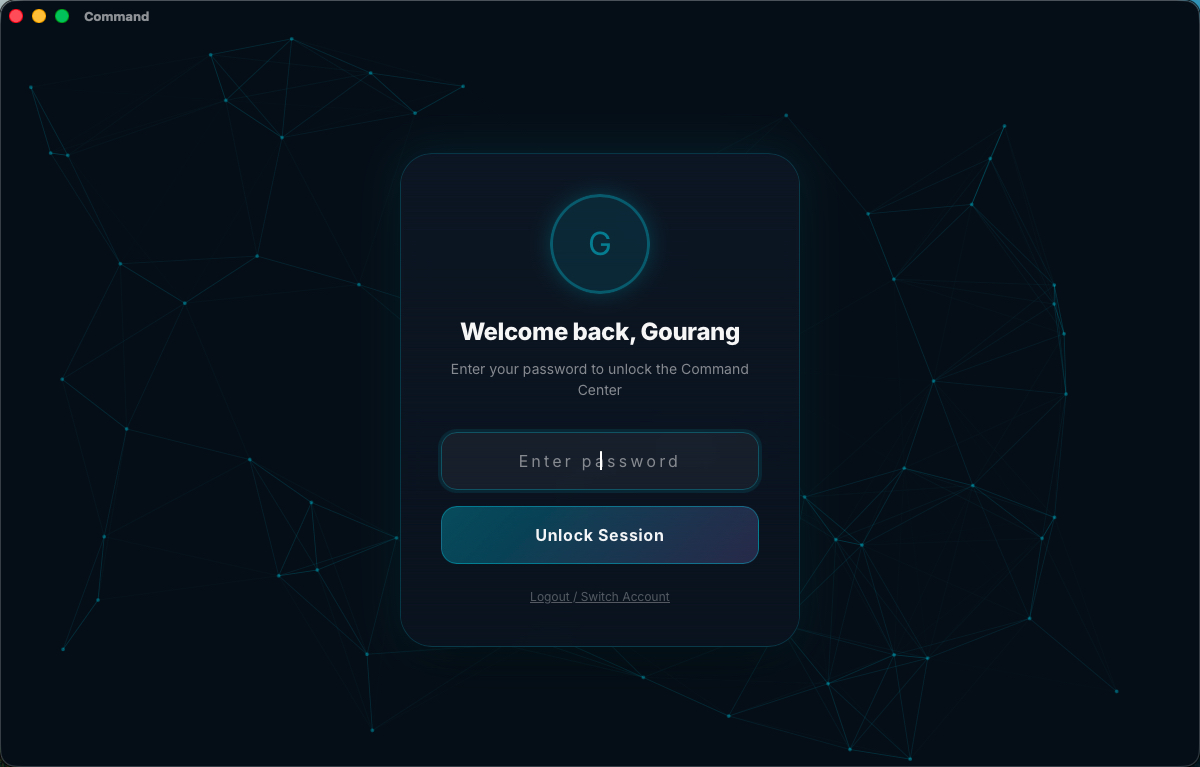
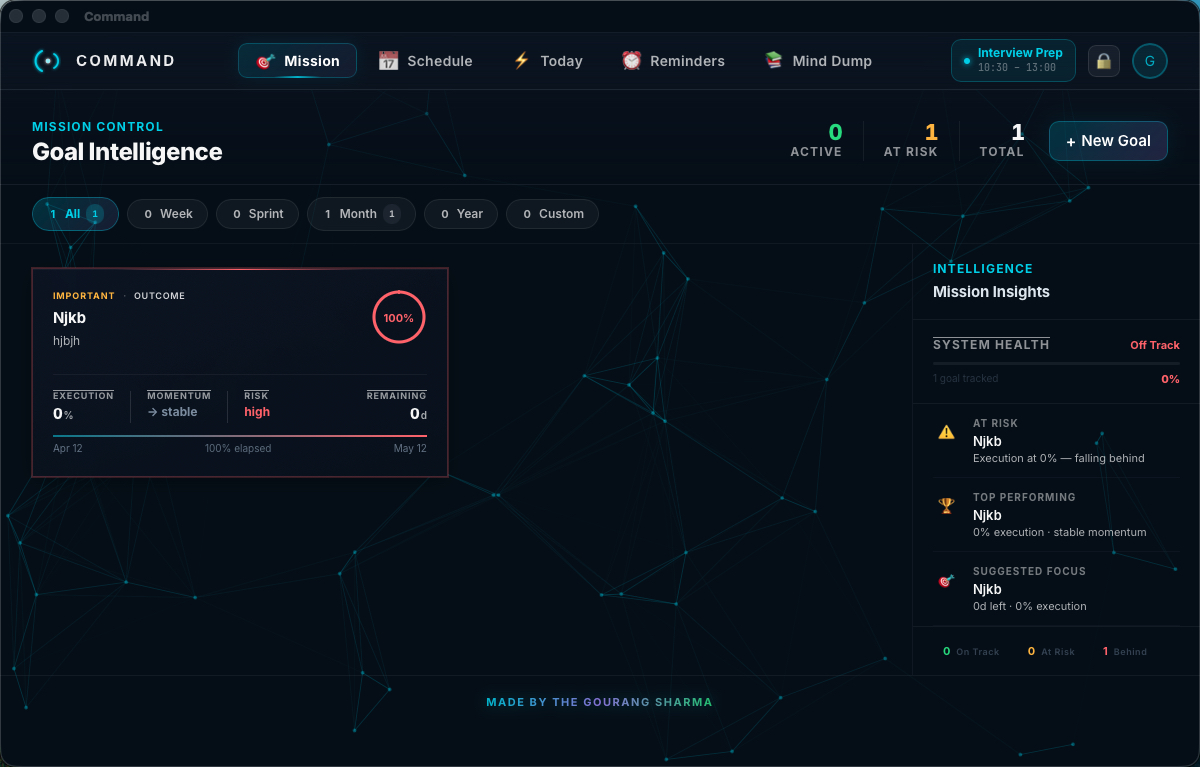
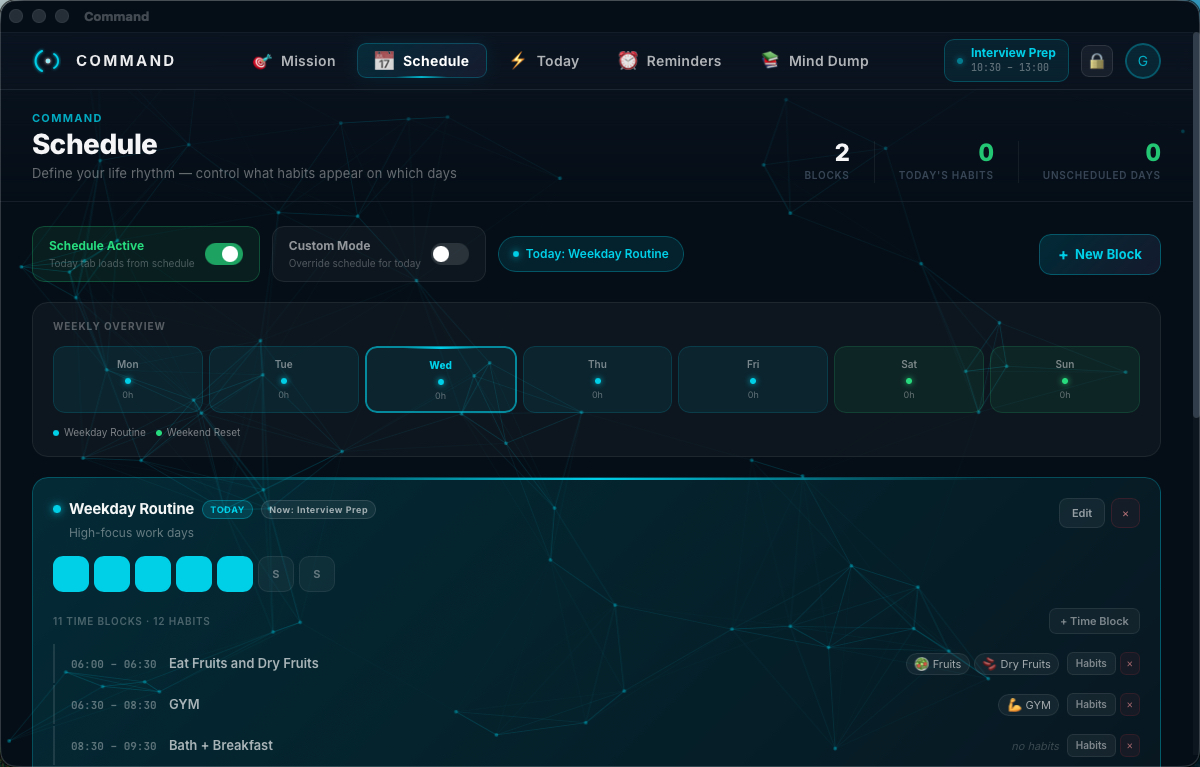
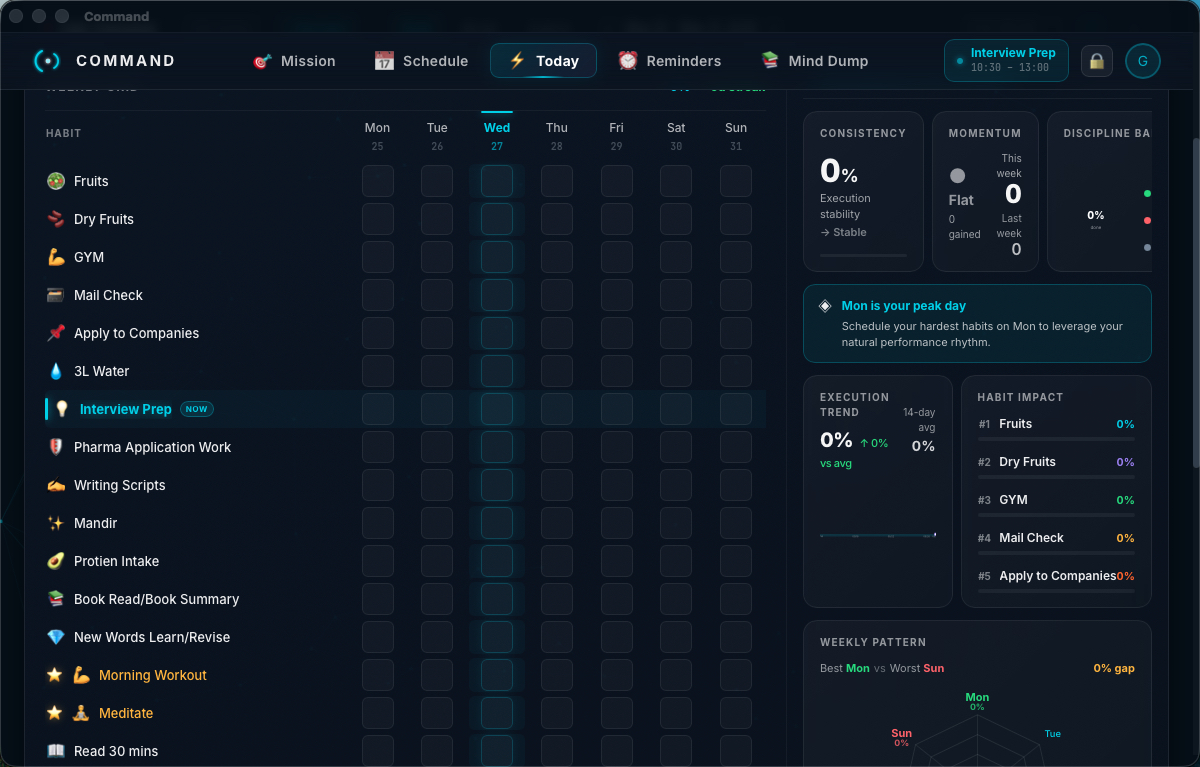
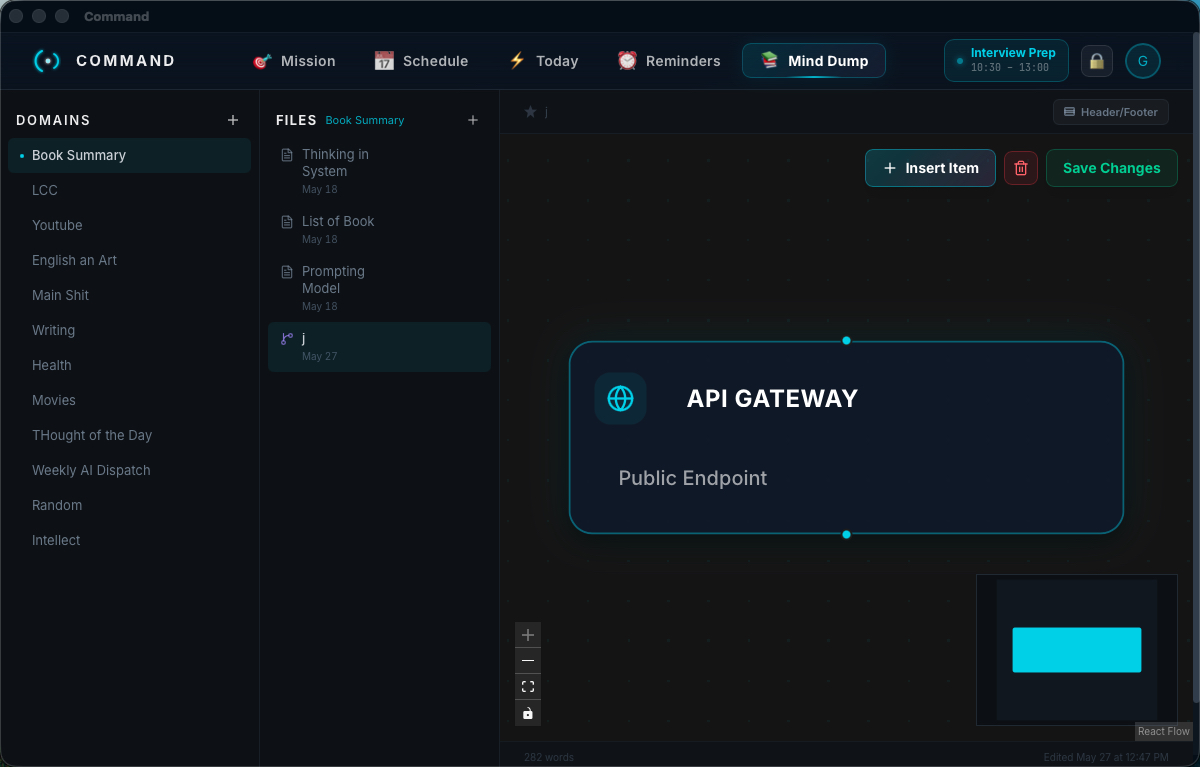
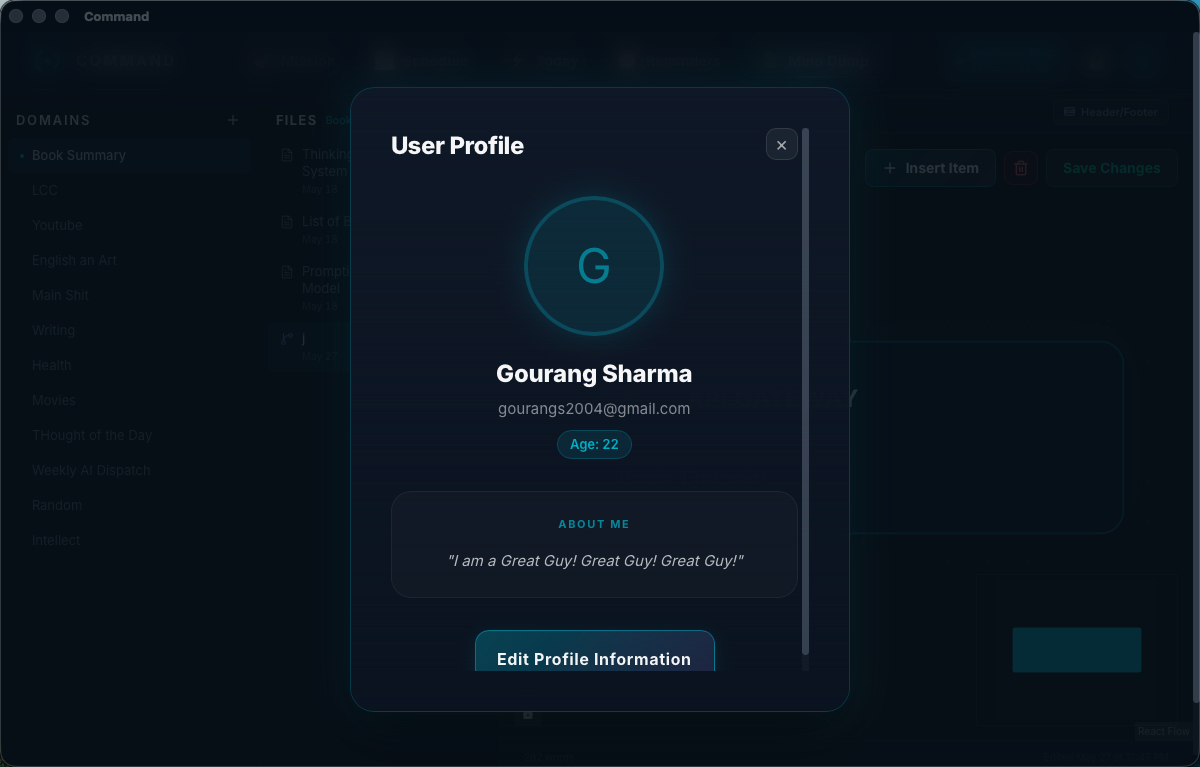
Command
A personal productivity desktop app to manage your habits, goals, reminders, schedule, and notes — all in one place.
Problem It Solves
Modern productivity is fragmented across multiple apps — calendars, note-takers, habit trackers, and reminders tools — each requiring accounts, cloud sync, and subscriptions. Command consolidates everything into a single, privacy-first desktop application that works completely offline.
Key Features
- • Mission: Define and track long-term goals and vision
- • Schedule: Manage daily schedule and calendar events
- • Notes: Capture and organize thoughts and ideas
- • Reminders: Set and track important tasks and events
- • Habits: Build and track positive habits with streak tracking
Key Benefits
- • Privacy First: All data stays on your device, no cloud sync
- • Offline Capable: Works without internet connection
- • All-in-One: Replaces multiple productivity apps
- • Fast & Lightweight: Native performance with web technologies
- • Cross-Platform: Works on Windows, macOS, and Linux
Screenshots
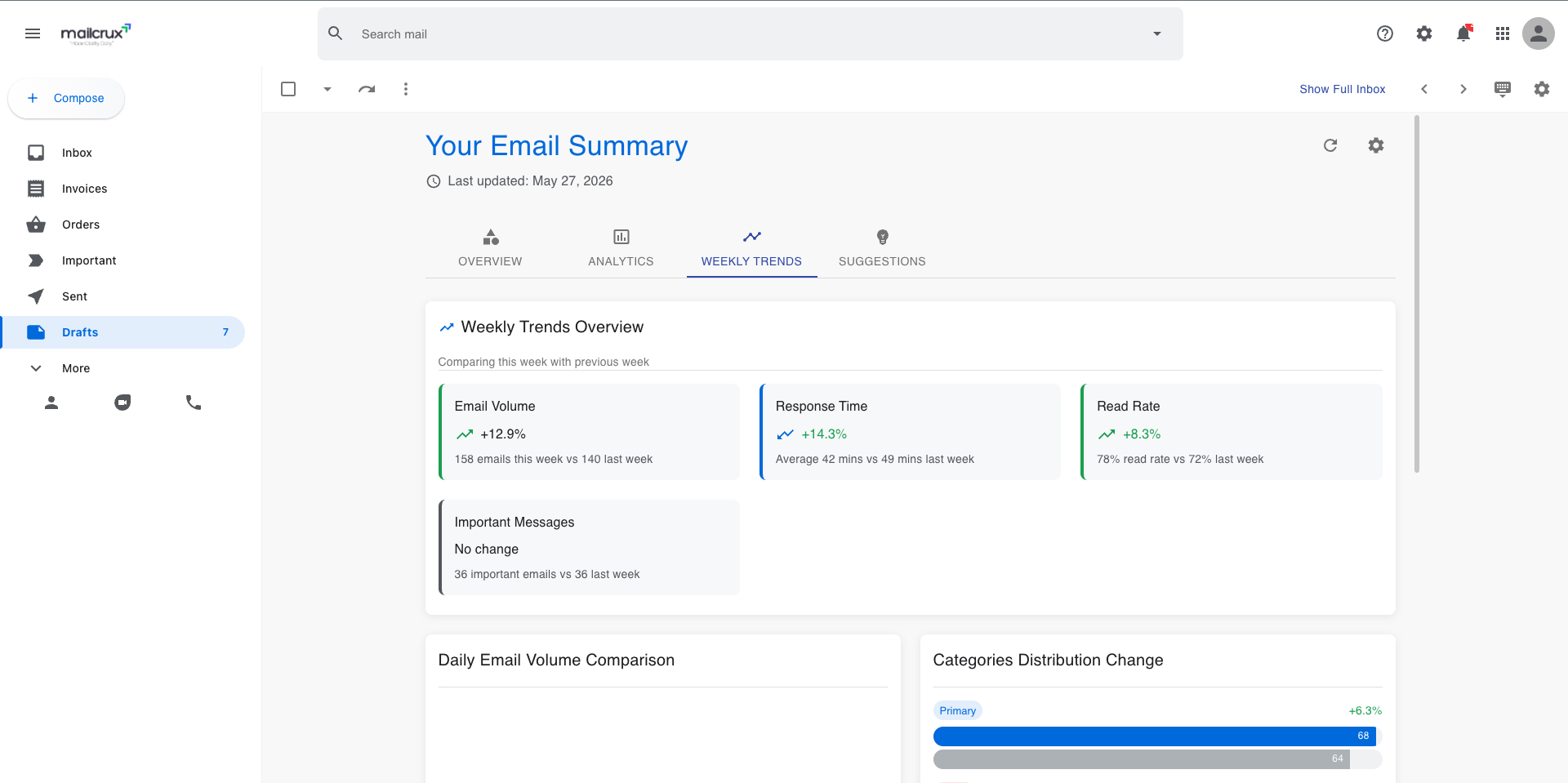
Mail Crux
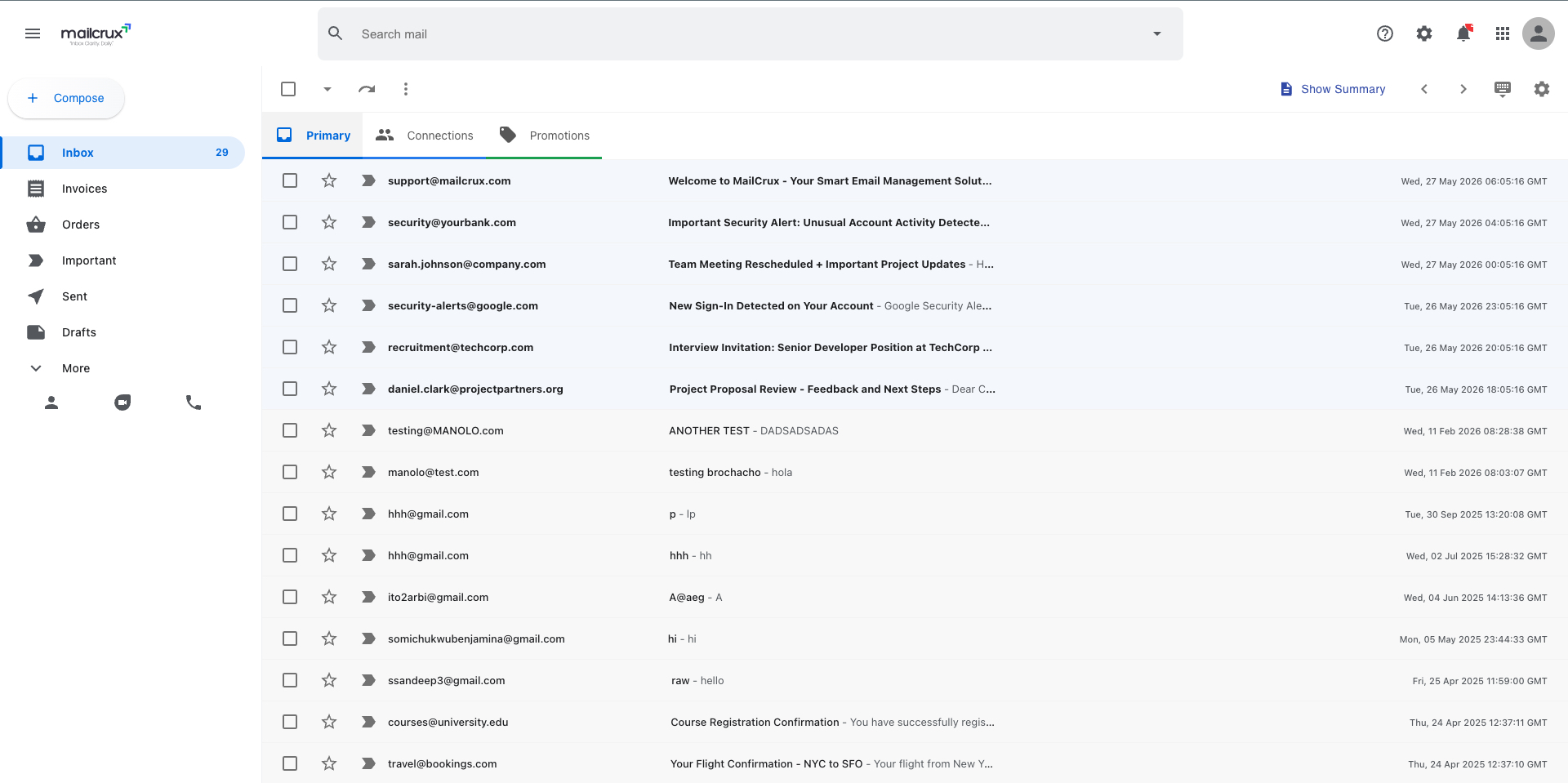
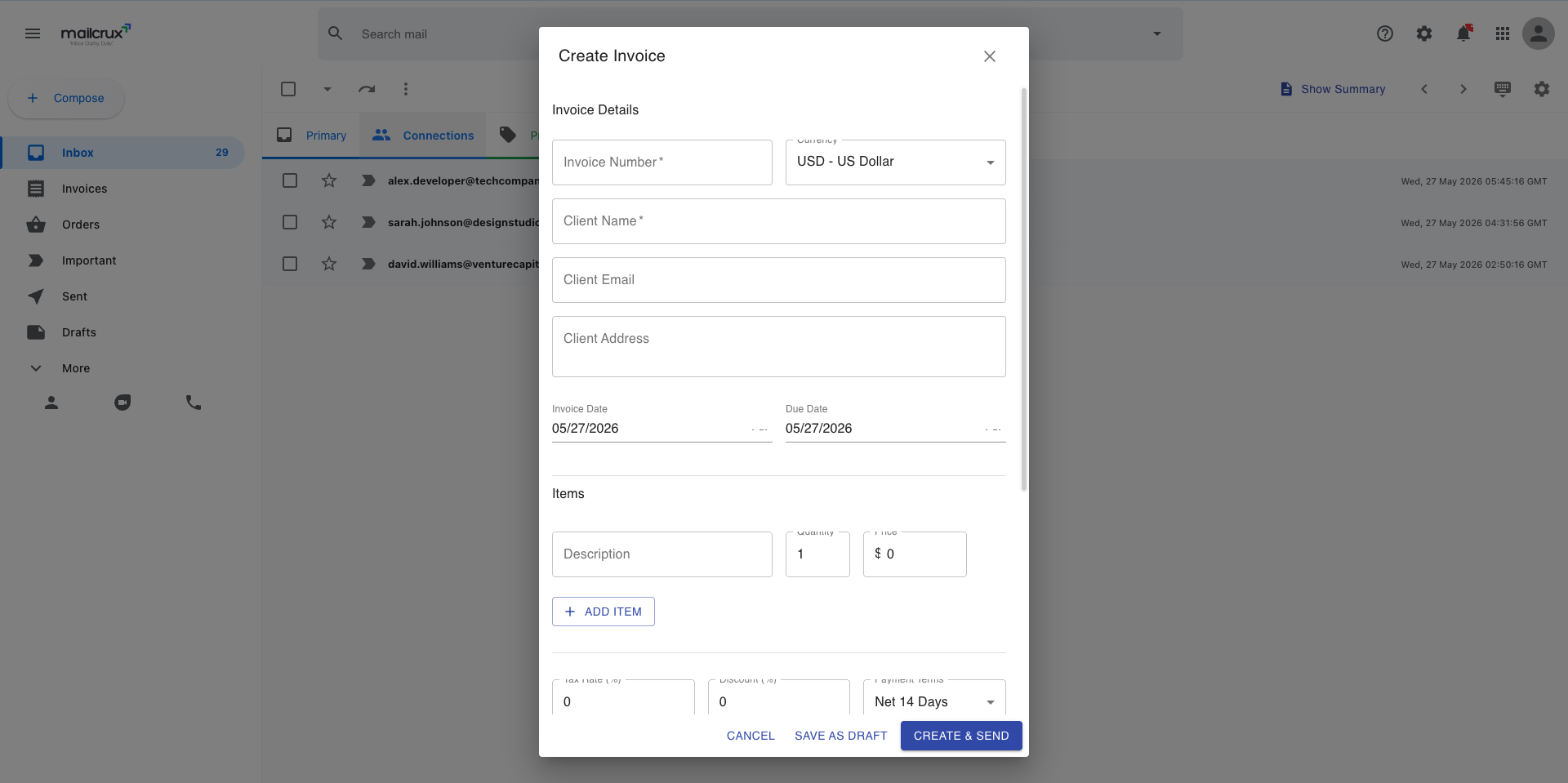
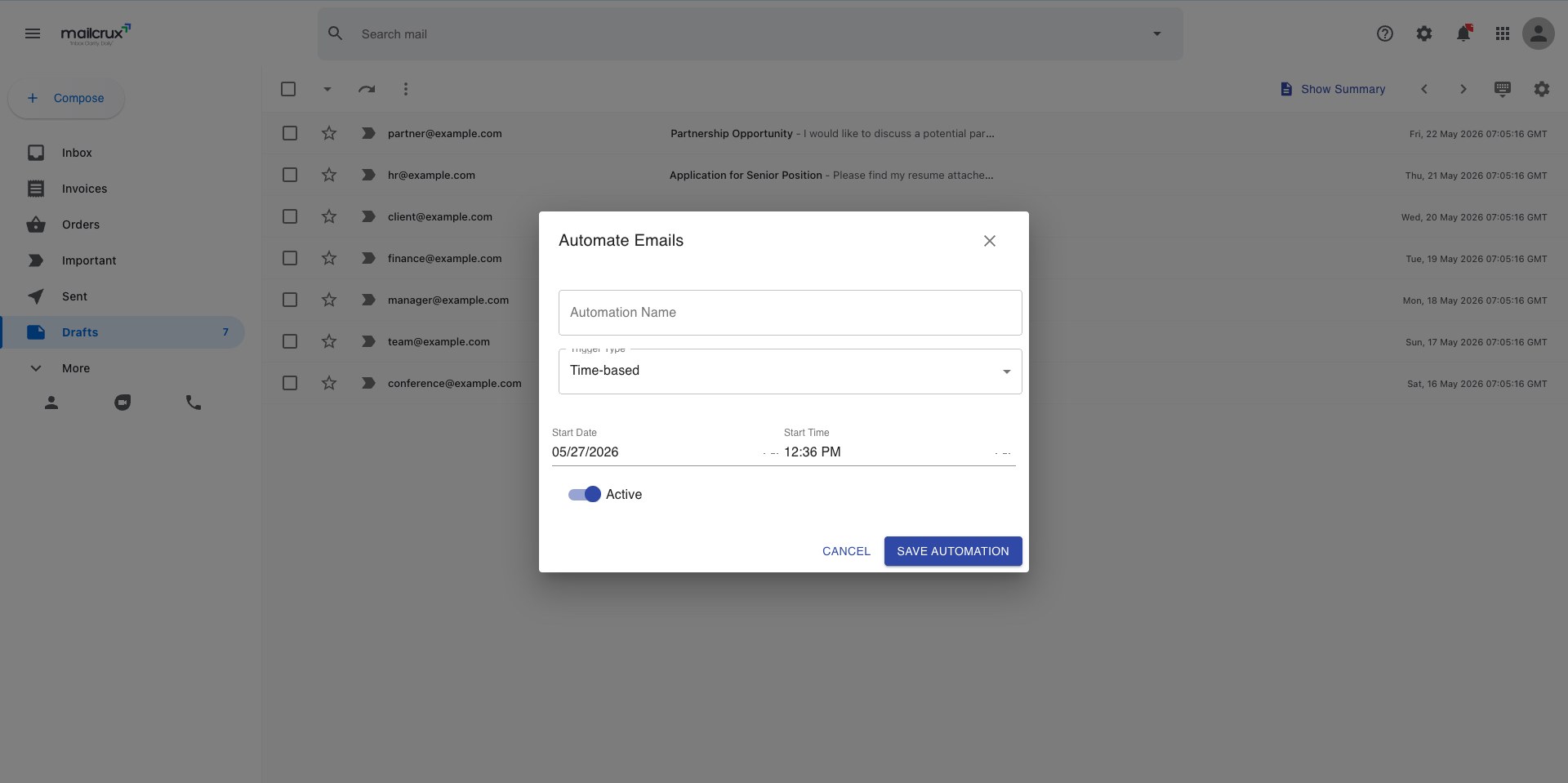
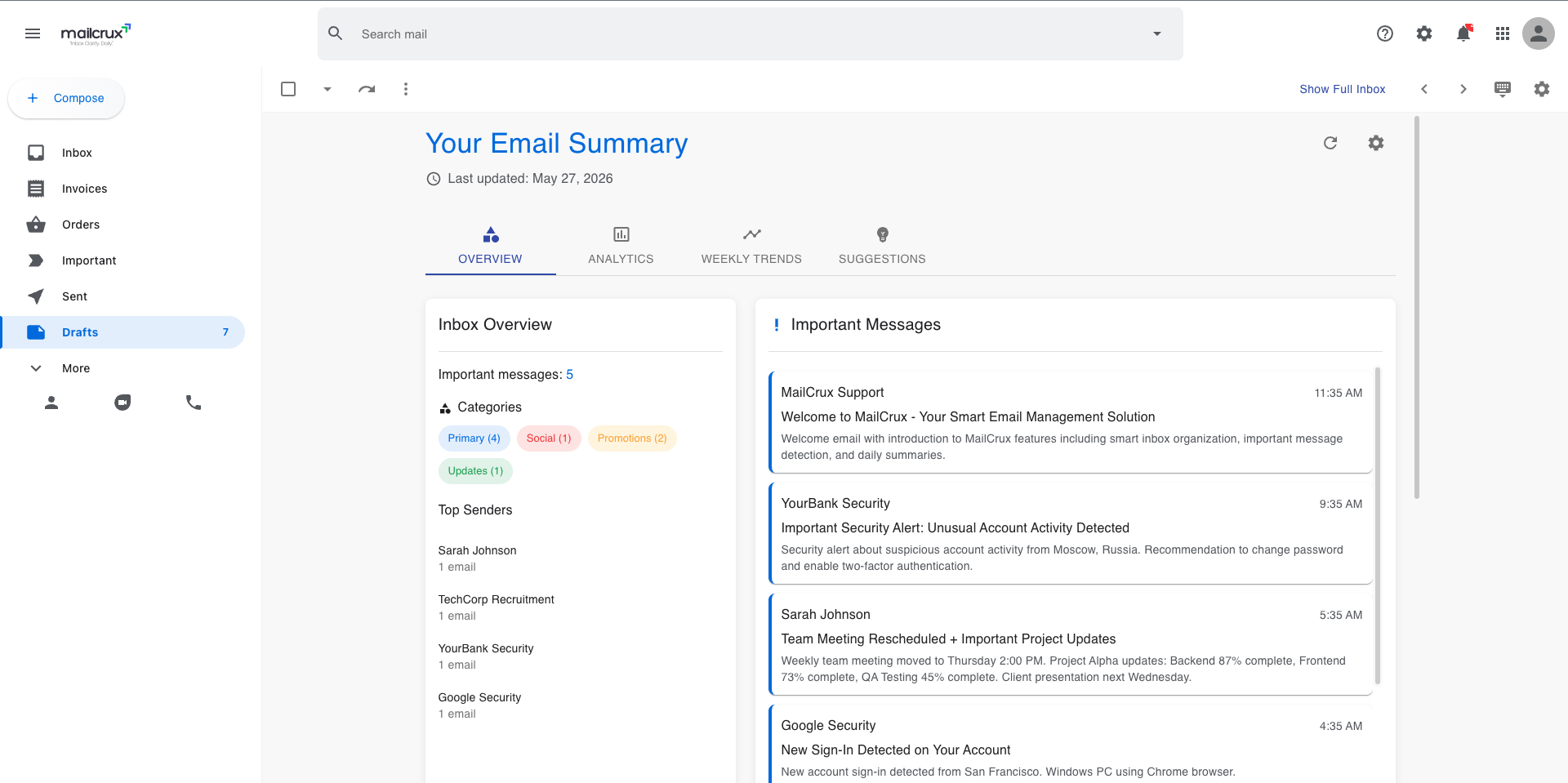
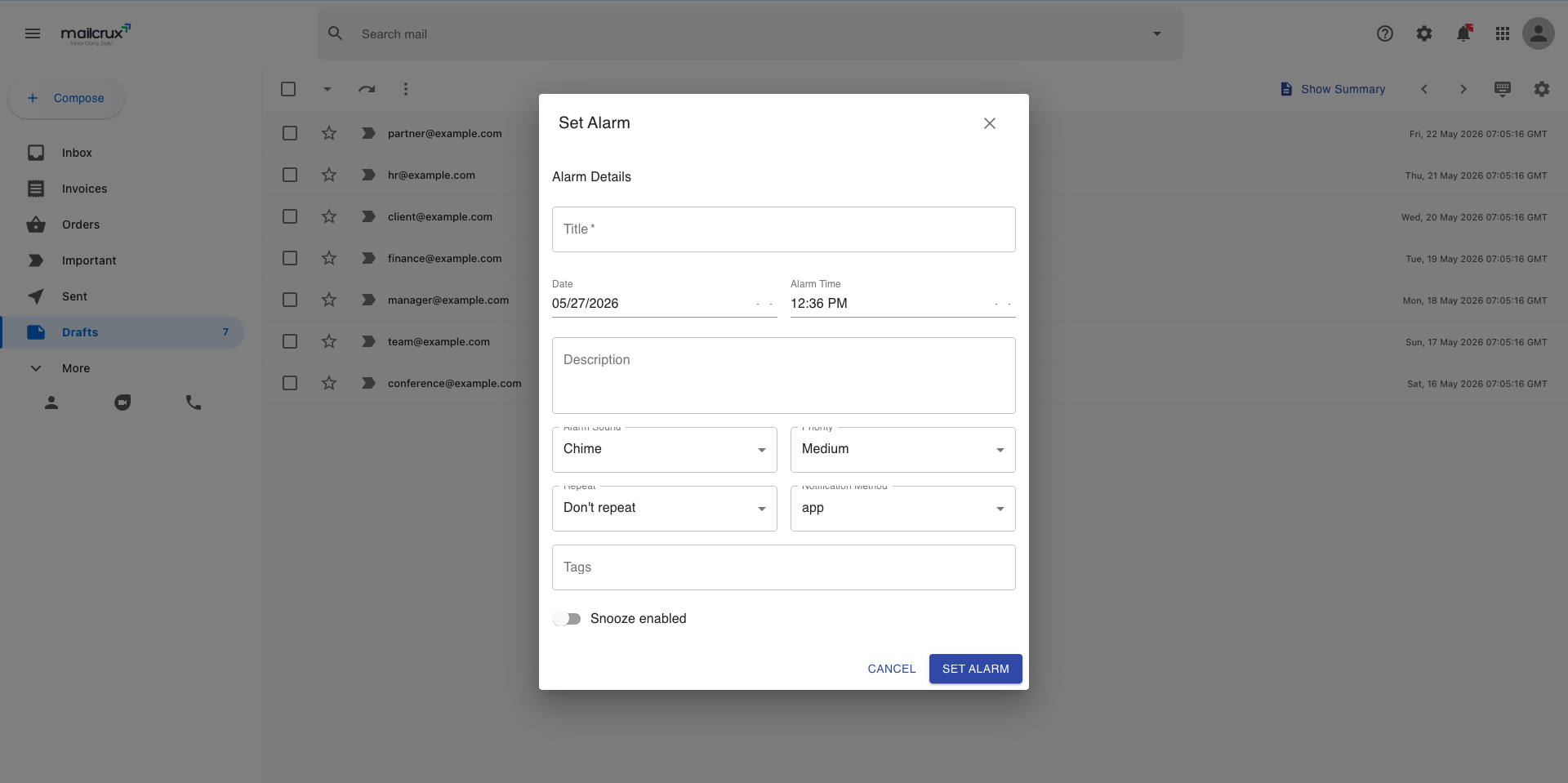
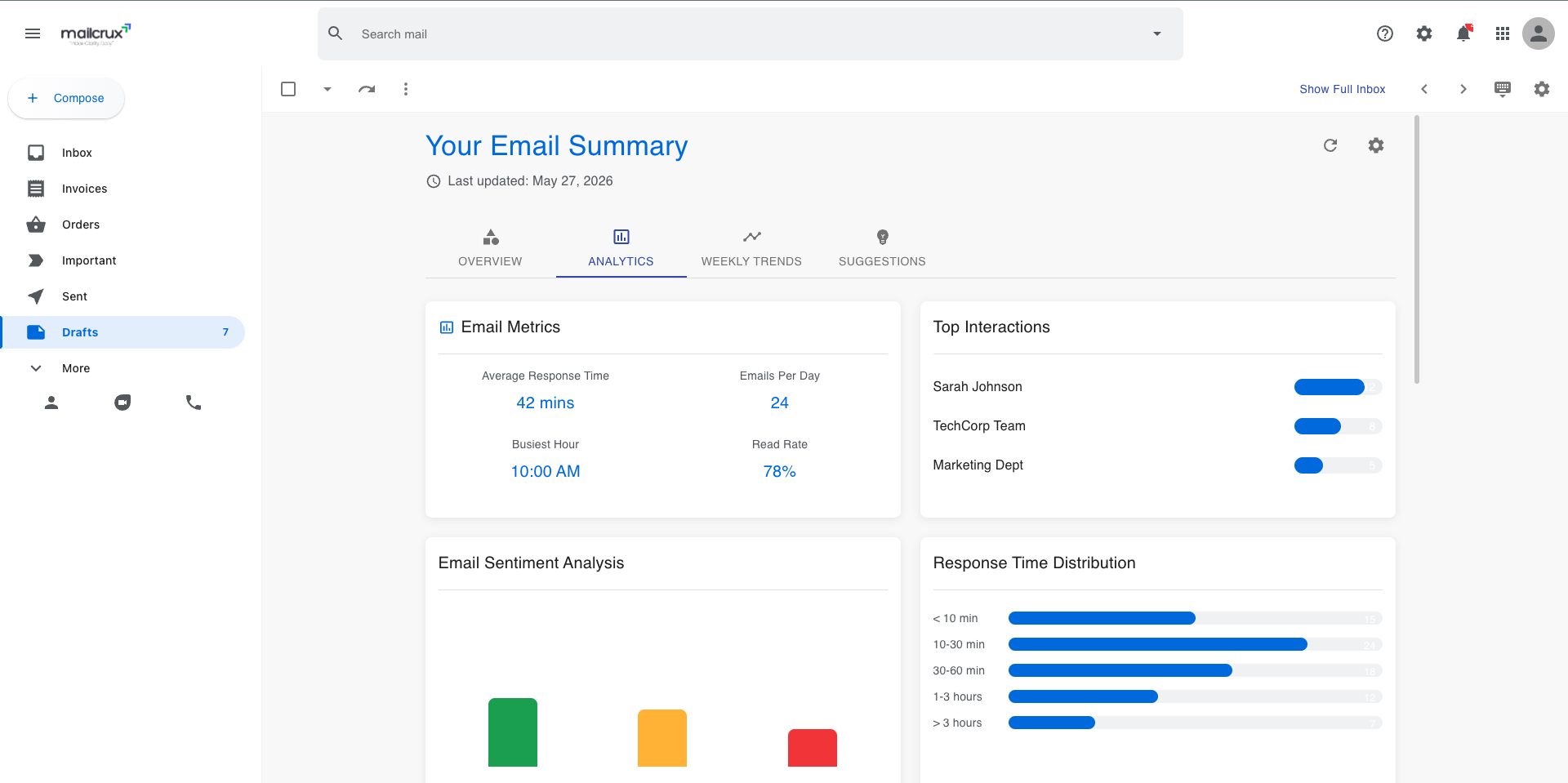
An intelligent email management and summarization platform that transforms how users interact with their inbox through AI-powered categorization, sentiment analysis, and automated daily summaries.
Core Objective
Reduce email overload by automatically analyzing, categorizing, and summarizing email content. Integrates with Gmail to fetch real emails, processes them through a sophisticated NLP pipeline, and presents them through a familiar Gmail-inspired interface enhanced with intelligent features.
Key Features
- • Intelligent Categorization: Auto-sorts emails into Important, Social, Promotions, Updates, Forums
- • Importance Scoring: 0-100 score based on keywords, recipient count, and sender reputation
- • Sentiment Analysis: Identifies positive, neutral, or negative sentiment in communications
- • AI Summarization: Generates concise 1-2 sentence summaries using OpenAI GPT
- • Action Item Extraction: Identifies requests, tasks, and action items within emails
- • Daily Summaries: Scheduled reports highlighting important communications and patterns
Screenshots
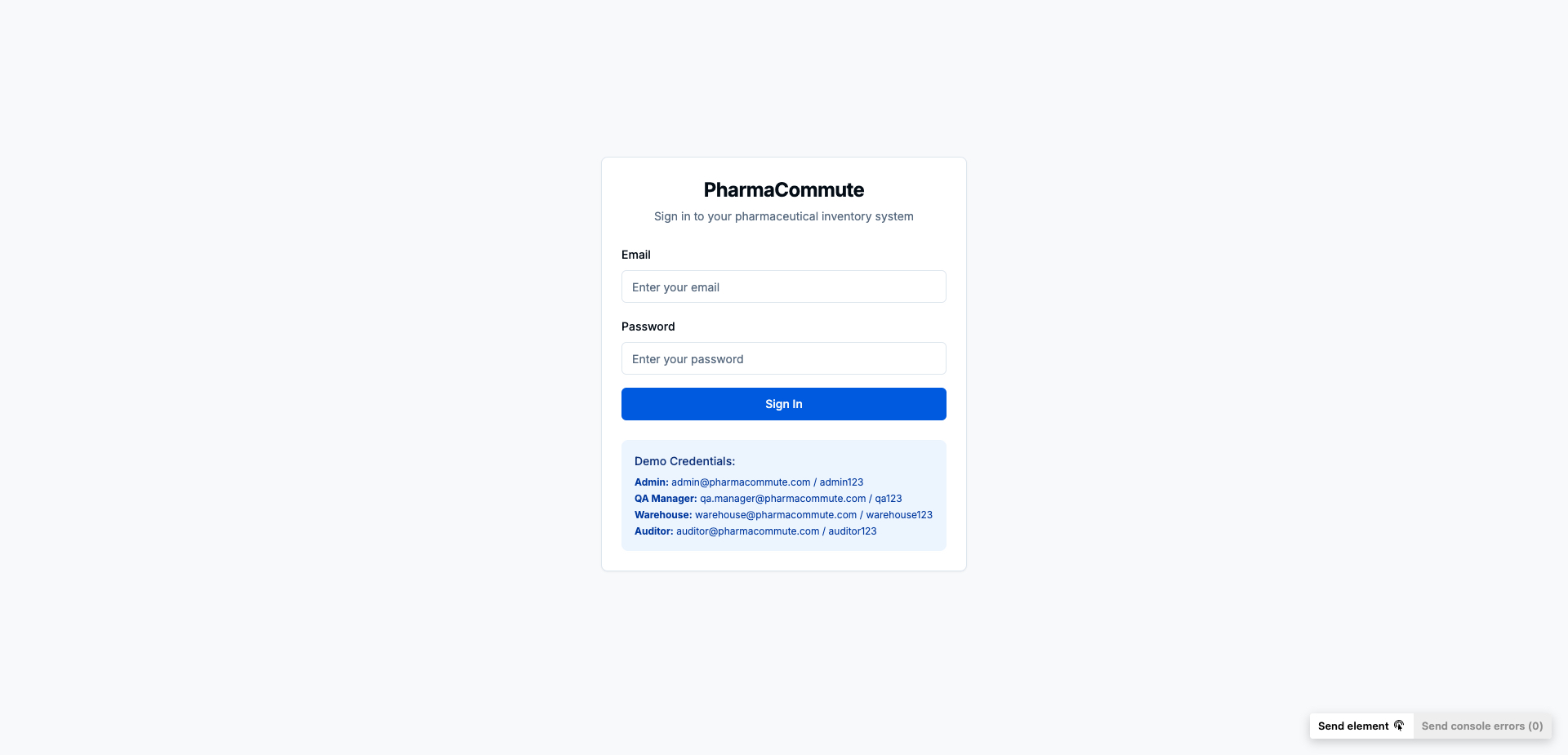
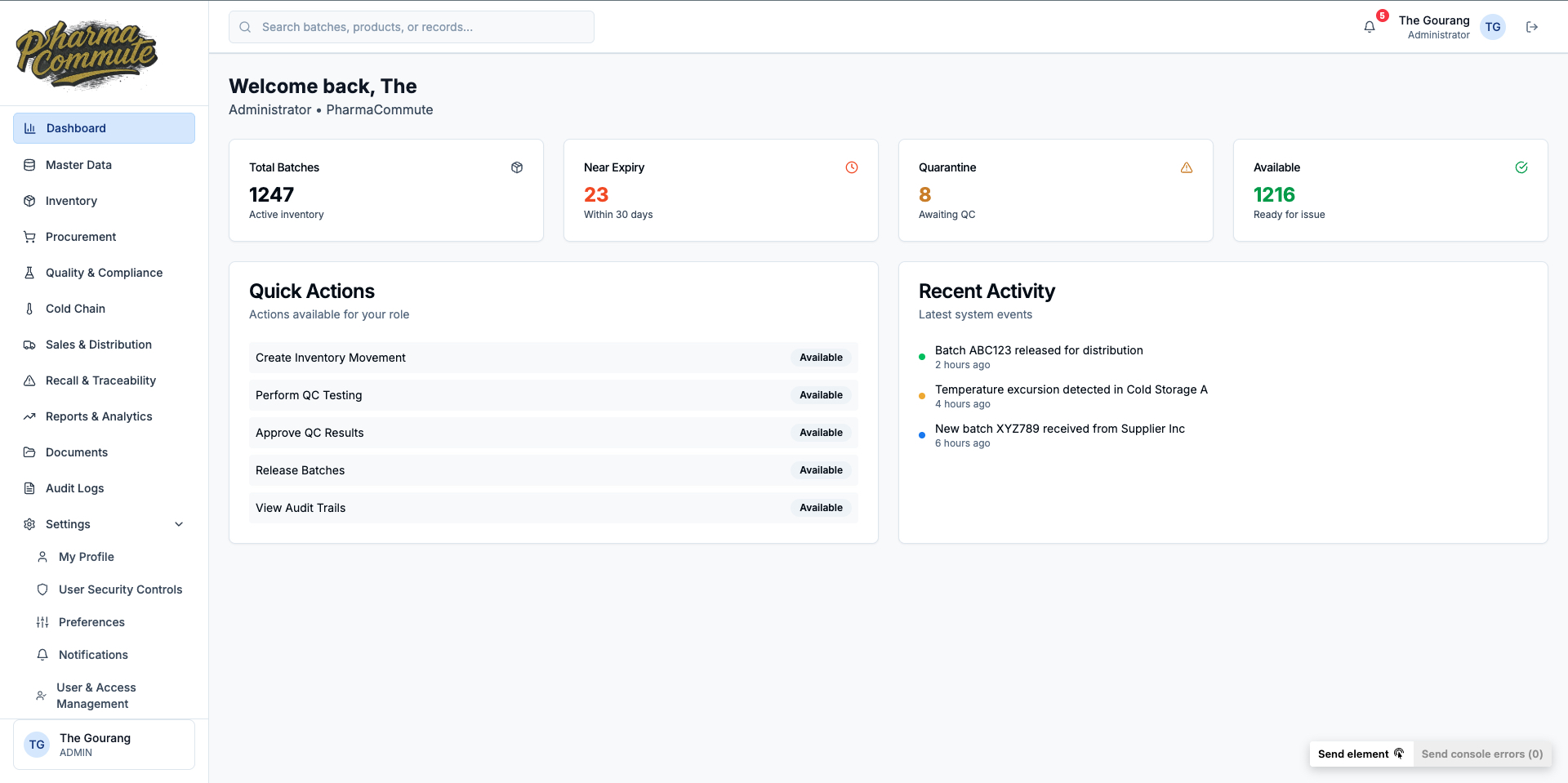
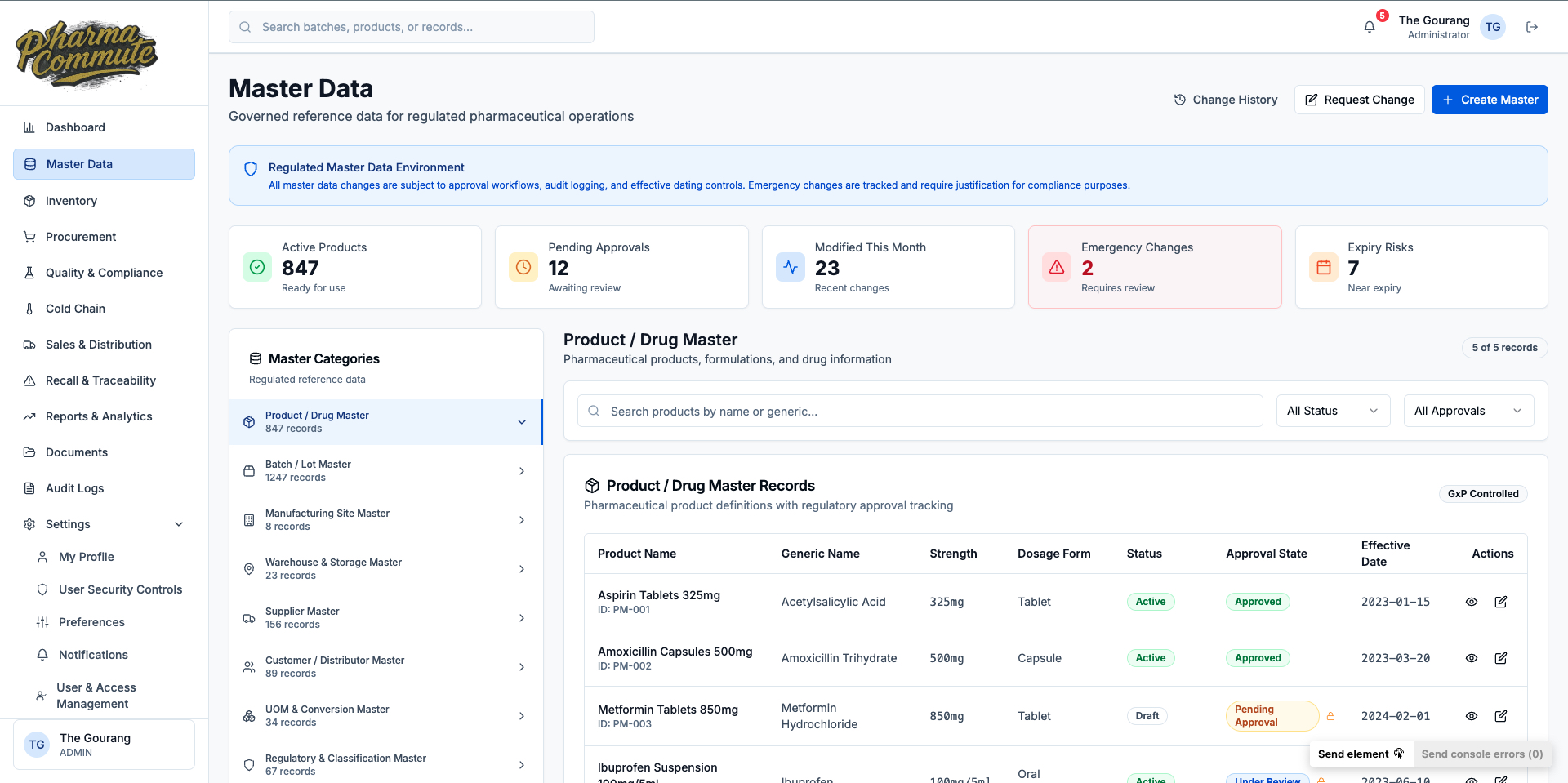
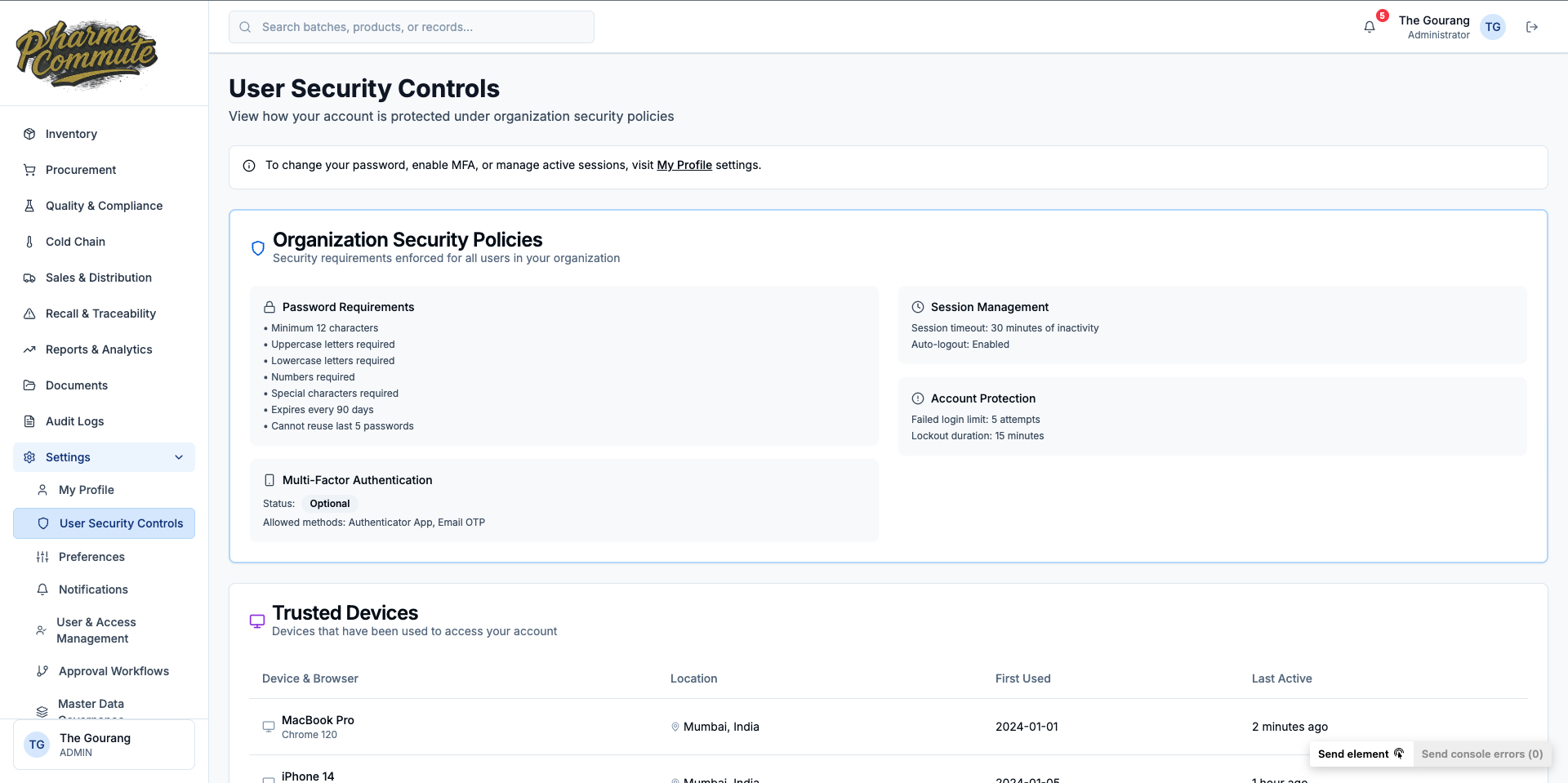
PharmaCommute
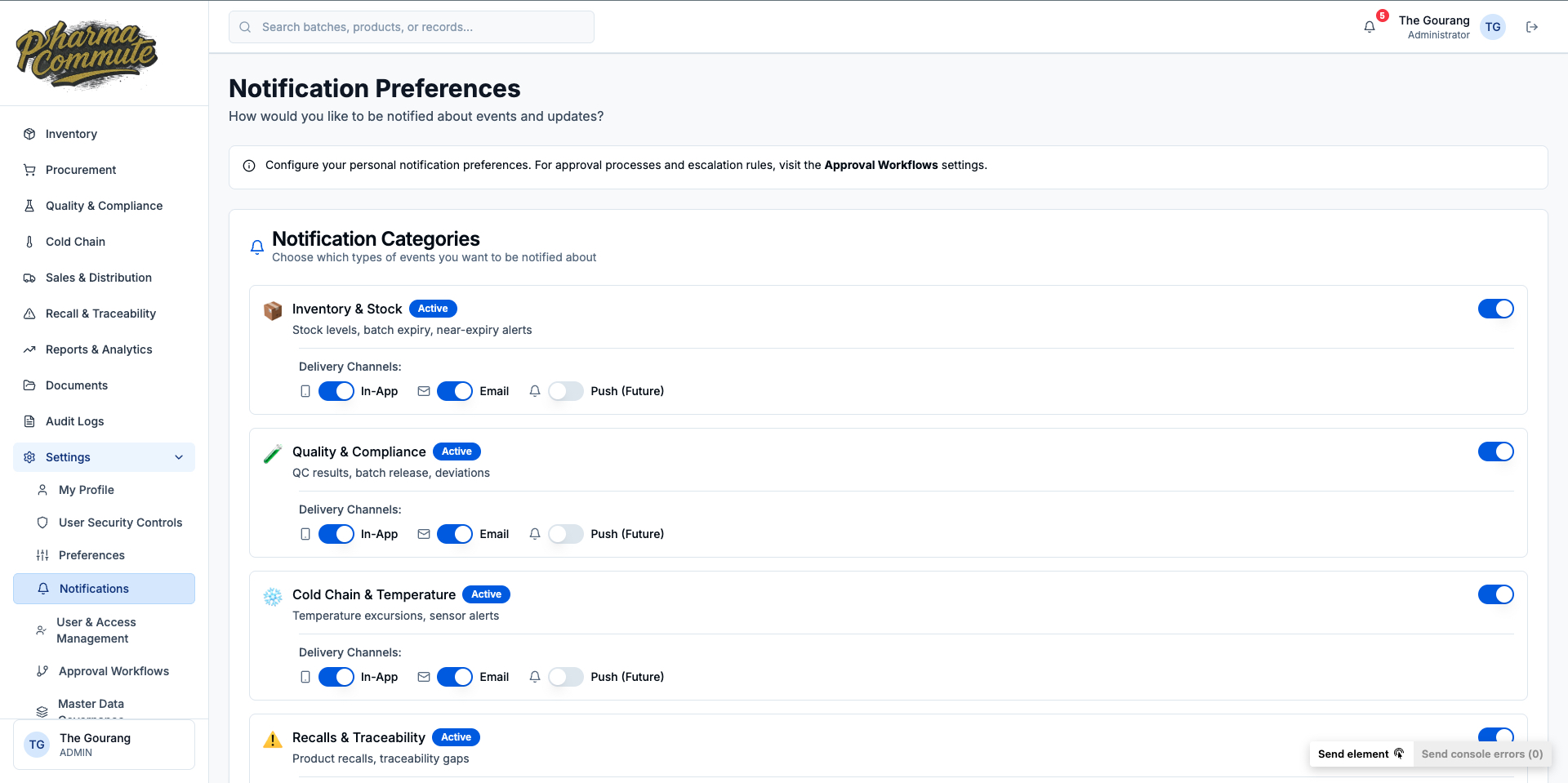
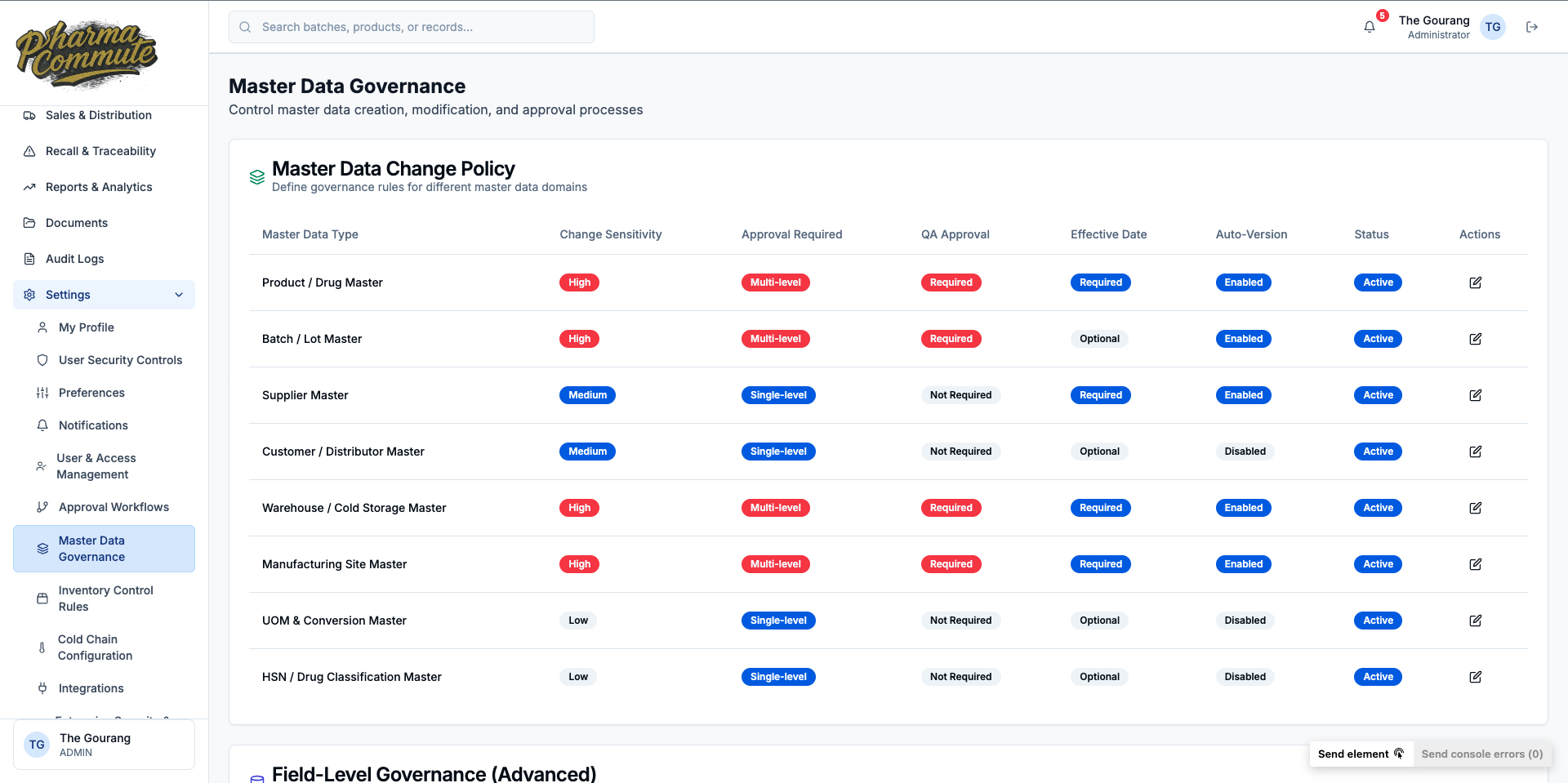
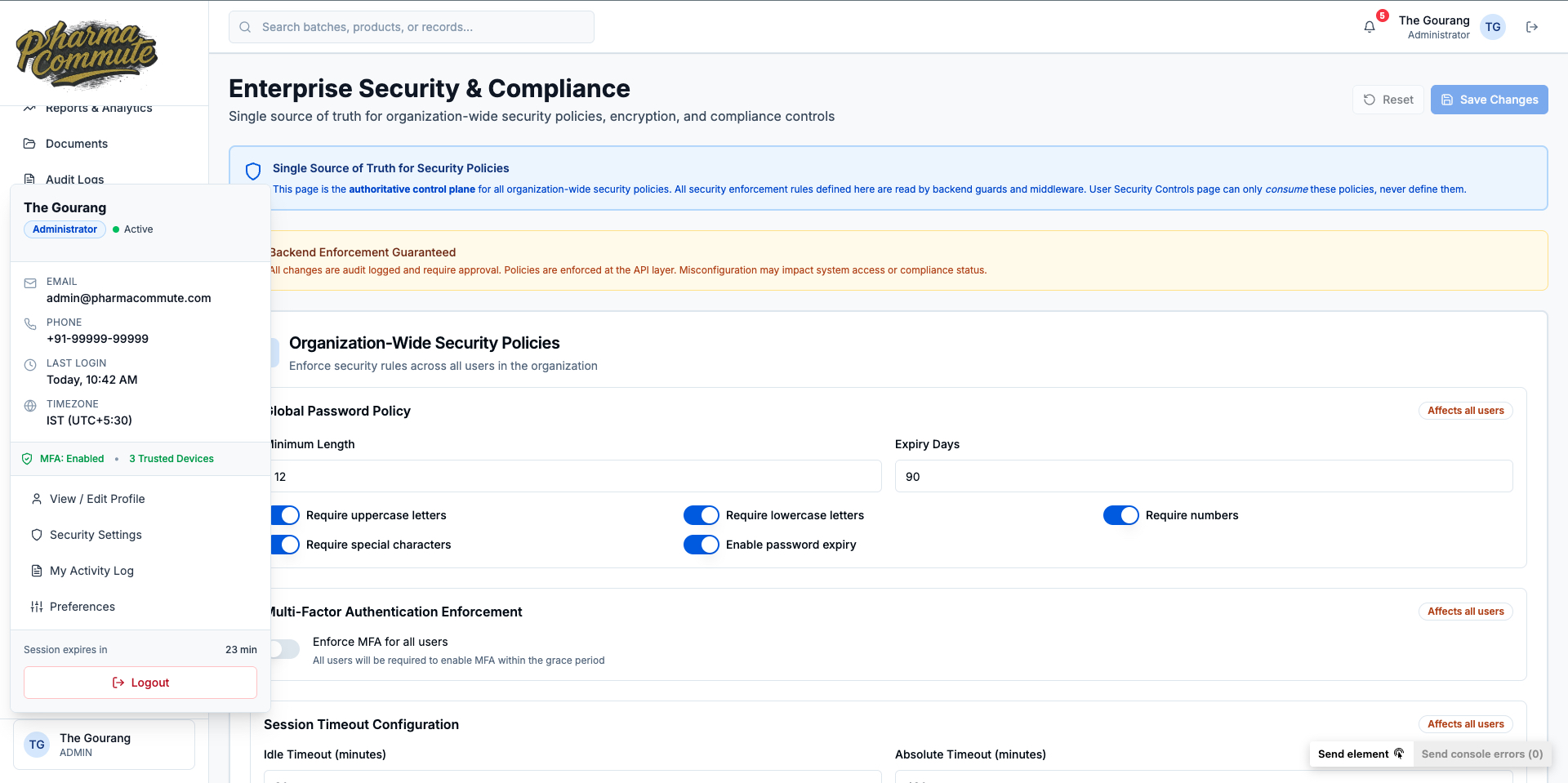
A comprehensive pharmaceutical inventory and quality management system for batches, cold-chain, recalls, audits, and compliance operations.
High-Level Overview
Pharmaceutical inventory and quality management with centralized, role-based dashboard for pharma operations. Features strong auditability, tenant isolation, and configurable security with clear separation between UI, API, and database layers.
Key Features
- • Multi-Tenancy: Tenant-scoped operations with role-based access control
- • Inventory Management: Batch tracking, FEFO indicators, and status management
- • Quality Control: QC workflows, approval processes, and compliance tracking
- • Cold Chain: Temperature monitoring and excursion tracking
- • Audit Logging: Global audit interceptor for compliance and traceability
- • Recall Management: End-to-end recall workflow and documentation
Architecture
Monorepo-style layout with Next.js 14 frontend (React 18, App Router, Tailwind CSS, Radix UI, Zustand) and NestJS backend with modular domain structure and Prisma-based database access.
Screenshots